 Hullspark
How to find the largest attachments in Confluence Cloud and free up storage
Confluence tells you the site is nearly out of storage. It does not say which files are using it. Here is what Atlassian gives you for Cloud, where each piece stops, and one option.
Hullspark · updated 2026-10-29
Short answer
- The total: admin.atlassian.com, then your site's Site settings and Storage, shows used and remaining storage. It updates only every 4 hours [1].
- The biggest files: Atlassian's storage page does not say how to find them [1]. The help article on largest attachments is for Data Center and uses a database query [2]. For Cloud, Atlassian Support can produce a list of the 30 largest attachments [3].
- Freeing space: archiving does not free any [1]. Deleting moves content to the space trash, and attachments stay until the trash is purged [4].
What Confluence gives you out of the box
| Tool | Good for | Catch |
|---|---|---|
| Storage page in Site settings | Used and remaining storage for each app [1] | Totals only. It lists no files, and its data can be 4 hours old |
| Atlassian Support report | A list of the 30 largest attachments, as a CSV with content ID, name and size in KB [3] | You raise a ticket. It lists 30 files, and size says nothing about whether a page still uses the file |
| The database query in Atlassian's article | Listing the largest attachments with size, uploader and page [2] | Applies to Data Center. The article does not cover Cloud |
| Delete, then purge from the space trash | Freeing the space: attachments of deleted items are removed only when the trash is purged [4] | Purging is permanent: the item, its versions and its attachments are gone |
| Archive | Moving old pages out of the way | Atlassian says archiving content with attachments frees no storage [1] |
Doing it by hand
- Check the used and remaining numbers on the Storage page [1].
- Raise a ticket with Atlassian Support and ask for the list of the 30 largest attachments [3].
- Search the site for each file by name, open its page and check whether the file is used elsewhere. Atlassian advises checking this before you purge [4].
- Delete the attachment or the page that holds it. Do it in small batches and note the date.
- To free the space, go to Space settings, open Content, choose Trash and purge. Purging cannot be undone [4].
- Wait for the Storage number to refresh. It can take up to 4 hours [1].
Where the built-in way stops
- Thirty files. The report lists only the 30 largest files.
- Large is not unused. A big diagram that three pages show is large and in use. Nothing in the report tells you which, so you check each file by hand.
- The check is manual. Opening each page to see if a file is used is slow on a site with thousands of files.
One option: our own app
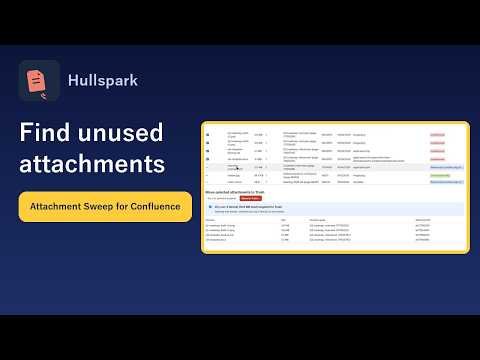
I make a Confluence Cloud app for this, Attachment Sweep by Hullspark [5]. It finds attachments that no page body uses, not simply the largest ones. What it does, as the current code and the product page describe it:
- A scan with a one-line result. It reports how many attachments no page uses and their total size. The table lists each file with its page and size, in a Size column you can sort, and you can filter by file name, space or file type.
- A reason on every row. Each file shows why it was listed, for example unreferenced, referenced by another page or a cover picture. Files used on their own page are only counted. Only unreferenced files can be selected. The scan reads the published body of pages and blog posts (drafts are optional); references from comments, templates and whiteboards are not checked, so look at those before you move a file.
- Dry run first. It shows how many files would move to the trash and how big they are. Nothing is written until you confirm.
- Trash, never purge. Files move to the Confluence space trash, where a space administrator can restore them. Each file is checked again right before it moves and is skipped if it changed.
- A log. The Jobs tab shows how many files were done, failed or skipped.
It never purges. Attachments of deleted items stay until the trash is purged. Attachments newer than the minimum age (7 days by default) are not listed. A scan limited to one space cannot see references from other spaces, so use a site-wide scan if in doubt. A scan older than 24 hours must be run again before you can move files. Only site administrators see the app. It shows the version number of each file but not the size of older versions.
See it on the Atlassian Marketplace Product page
Questions
Is there a built-in list of the biggest attachments in Confluence Cloud?
Atlassian's storage page shows totals, and its documentation does not describe a list of files. For Cloud, Atlassian Support can produce a list of the 30 largest attachments.
Does archiving a page free storage?
No. Atlassian says archiving content that contains attachments does not free any storage.
Does Attachment Sweep list the largest files?
Among unused files, yes: the table is sorted largest first by default. Files used on their own page are only counted. Files used by another page or as a cover picture are listed with that reason and cannot be selected. References from comments, templates and whiteboards are not checked.
Is Move to trash permanent?
No. It is Confluence's normal delete, so the file goes to the space trash, where a space administrator can restore it until someone purges the trash. The app never purges.
Why did my storage number not drop?
Attachments of deleted items stay until the trash is purged, and the Storage page can be up to 4 hours old.
Does my data leave Atlassian?
No. The app runs on Atlassian and your attachments are not sent to Hullspark. Details are in the privacy policy.
Do I need a license to scan?
No. Scanning and the dry run work without one. Moving files to the trash needs an active license. The Marketplace listing has the current pricing.
What I have not verified
I checked the Confluence claims on this page against Atlassian's documentation on 2026-10-29. I did not re-test each one on a live site, and Atlassian changes screens.
The storage page itself does not say how trashed items are counted; I rely on the delete page, which says attachments of deleted items stay until the trash is purged. I did not confirm whether Support still offers the 30-file report in the form its guide describes. The app description comes from its current code and product page. I have not tested other vendors' apps and name none; read their listings.
Sources
- [1] Atlassian Support: Manage your storage usage: https://support.atlassian.com/confluence-cloud/docs/manage-your-storage-usage
- [2] Atlassian Support: How to find the largest attachment files in your Confluence instance (Data Center): https://support.atlassian.com/confluence/kb/how-to-find-the-largest-attachment-files-in-your-confluence-instance/
- [3] Atlassian: Guidelines for determining which attachments can be deleted from Jira/Confluence Cloud: https://confluence.atlassian.com/migrationkb/guidelines-for-determining-which-attachments-can-be-deleted-from-jira-confluence-cloud-1607598639.html
- [4] Atlassian Support: Delete, restore or purge a page: https://support.atlassian.com/confluence-cloud/docs/delete-restore-or-purge-a-page/
- [5] Atlassian Marketplace listing of the app (fetched 2026-10-29): https://marketplace.atlassian.com/apps/2779823303
Related
- Attachment Sweep for Confluence: screenshots and FAQ
- Getting started with Attachment Sweep: your first cleanup in four steps
- All English guides
Questions? Support or support@hullspark.com. Privacy policy