 Hullspark
How to tag Wix orders automatically
Wix has order tags, and you can filter the orders list by them. They are added by hand. Here is how that works, checked against Wix’s help articles, and one way to have the tags added for you.
Listing on the Wix App Market
Hullspark · 2026-10-30
Short answer
- Wix lets you tag orders by hand. Open an order and type or pick a tag *1.
- To tag several orders, select them and use Assign Tags *1.
- To find them later, use Filter in the Orders tab and choose the tag *2.
- You can create up to 100 tags *1. The article describes assigning tags by hand and does not mention a way to add them automatically.
- If you want the same tag on every order that meets a rule, an app can add it when the order is approved (last section).
1. Tag one order
In your site’s dashboard open Orders and click the order. Type a tag name in the tag field or pick an existing one. To create a new tag, enter the text and click +Create *1.
2. Tag several orders at once
Select several orders and click Assign Tags. Check a tag to add it to all the selected orders, or uncheck it to remove it from all of them *1. To rename or delete a tag, open the tag field on an order and choose Manage Tags. Editing a tag updates it on every order that has it; deleting it removes it from all orders *1.
3. Filter the orders list by tag
If you have assigned tags, click Filter in the Orders tab and select the tag. The filters you choose appear at the top of the list *2.
Where the built-in tags stop (my reading)
- Tags are added by you, an order or a selection at a time. The help article I read does not describe a rule that adds a tag on its own.
- So a pattern such as “tag every order of at least a certain total” means looking through the orders yourself, then selecting and tagging them.
- There is a limit of 100 tags *1.
The steps come from Wix’s help articles as I read them on 2026-10-30, and Wix screens can change.
One option: our own app
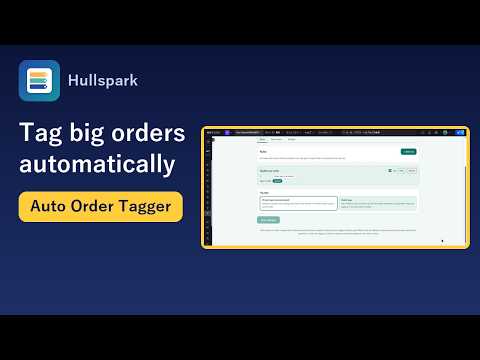
One last mention, since we make it: Auto Order Tagger is a Wix app for the case above. You add a rule with an order total and the tags to add. When an approved order’s total is at least that amount, the order gets the tags, including orders paid offline such as manual payment. Private tags show on the Wix orders screen and in its filter, and an Activity tab lists what was tagged and when. Free runs 2 rules; Pro allows up to 100 rules and can also apply your rules to past orders.
This page and the app are not affiliated with Wix; Wix screen names can change.
See it on the Wix App Market Product page
Questions
Can I add tags to Wix orders?
Yes. Open an order in the Orders tab and type a tag, or select several orders and use Assign Tags. You can create up to 100 tags.
Can I filter Wix orders by tag?
Yes. In the Orders tab, click Filter and choose the tag.
Does Wix tag orders automatically?
I found no setting for it in Wix's help article on tags, which describes assigning them by hand. An app can add tags when an order is approved.
Do offline or manual-payment orders get tagged by the app?
Yes. The app adds tags when an order is approved, including orders paid offline such as manual payment.
Sources
The Wix steps come from the Wix help articles listed below, read on 2026-10-30.
- [1] Wix Help Center: Assigning Tags to Orders (assign, bulk assign, manage, 100-tag limit)
- [2] Wix Help Center: Customizing the Order List and Saving Your View (filter by tag)
Related
Questions? Support or support@hullspark.com. Privacy policy