Info sections such as shipping notes, return policies and care guides are easy to add to many products at once, but taking one off, or swapping last year's policy for this year's, means opening products one at a time. This app does it in a single run, after a preview.
A free plan is available: up to 20 products changed per month. Pro removes that limit. Preview, history and undo are on every plan. Plans are listed on the Wix App Market listing.
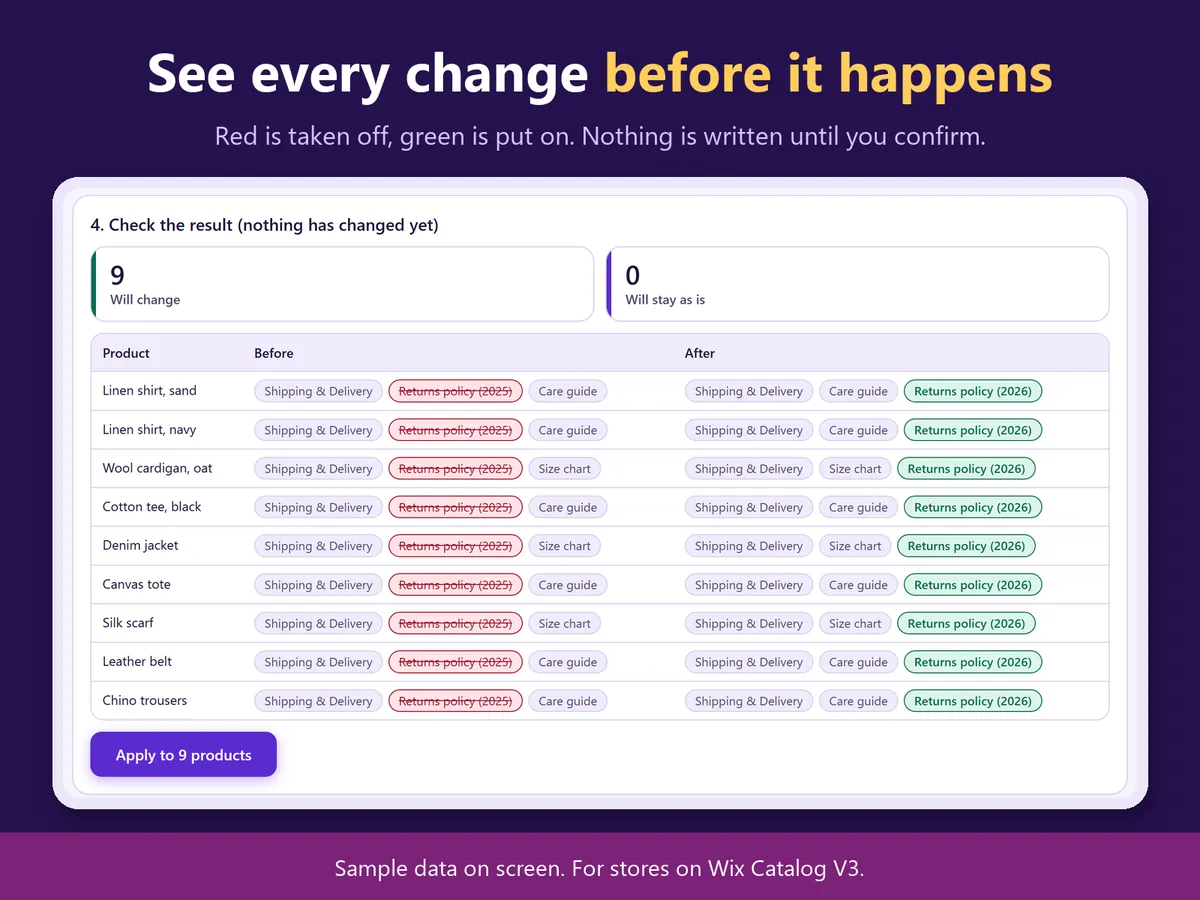
The preview: sections that come off in red, sections that go on in green (sample screen).
In four lines
The problemWix lets you add an info section to many products, but removing or swapping one means editing each product.
Where it livesA page in your Wix dashboard. It works with Wix Stores on Catalog V3. Nothing is placed on your public site.
What it doesYou choose the sections, choose whether to remove them or replace them with another section, and pick products by name or collection. Before anything is written, a preview lists each product with the sections that come off in red and the ones that go on in green.
The resultThe change runs in one go. Every run is recorded in your site's CMS, and undo puts back only what that run changed.
Demo video, 50 seconds. Nothing loads from YouTube until you press play.
Who it is for
Wix Stores owners who use info sections for shipping, returns or care notes.
Shops that update a policy once a year and need it changed on every product.
Not for you if your store is not on Catalog V3: the app works with Catalog V3 only.
How it works in 3 steps
Choose sections and products. Pick the sections, choose remove or replace, then pick products by name or collection.
Read the preview. Each product shows what comes off in red and what goes on in green. A product edited elsewhere after the preview is skipped, not overwritten.
Run, and undo if needed. Run it. Every run is recorded, the history shows the latest 20, and undo restores only what that run changed.
What it does
Remove or replace in bulk
Take a section off many products, or swap it for another section.
A preview before anything is written
Each product with the sections that come off and go on.
A history with undo
Undo puts back only what that run changed, so edits you make by hand afterwards stay.
Products left alone
The sections themselves are never deleted. Product names, prices, stock and images are not touched.
What it can and cannot do
It works with stores on Catalog V3 only.
A product edited elsewhere after the preview is skipped.
Free: up to 20 products changed per month. Undo is not counted.
Screens in Japanese and English, light and dark.
Questions
Does it delete the info sections?
No. It removes them from products or replaces them. The sections themselves stay.
Can I undo a run?
Yes. Every run is recorded, and undo restores only what that run changed.
What if a product was edited after the preview?
It is skipped rather than overwritten.
Does it change prices or images?
No. Names, prices, stock and images are not touched.
 Hullspark