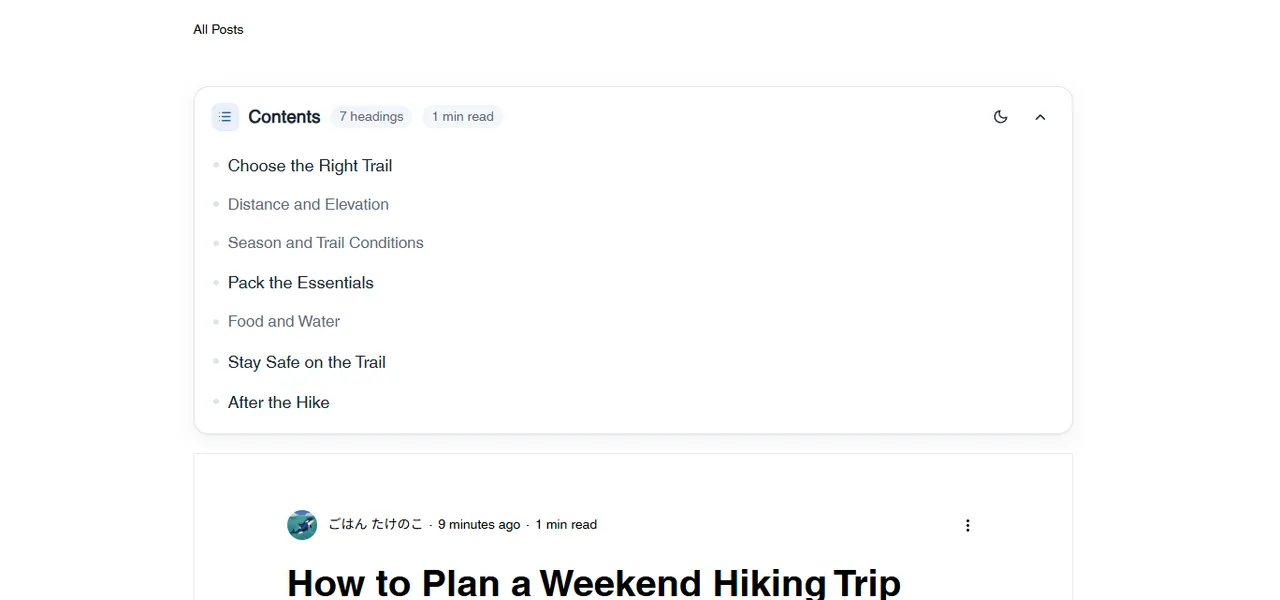
Wix Blog has no built-in table of contents. This app builds one at the top of each blog post from its headings, including Japanese ones. Tap an entry and the page jumps to that heading. When you change a heading, the table of contents follows.
Blog posts only. A free plan is available; prices are on the Wix App Market listing.
A table of contents at the top of a sample post (English screen).
In four lines
The problemLong blog posts are hard to take in without a list of headings. A hand-made table of contents needs every link fixed again whenever a heading changes.
Where it livesThe top of each Wix Blog post page. Install the app and it is placed for you; a settings panel lets you change how it looks. A dashboard page previews it with sample headings.
What it doesIt builds a card from the post's headings and shows it on posts that have two or more. Tap an entry to jump to that heading. You can choose the depth (h2 only, h2 to h3, h2 to h4), the title and numbering. On a phone it starts closed and opens when tapped.
The resultA table of contents on every long post, with no links to maintain by hand.
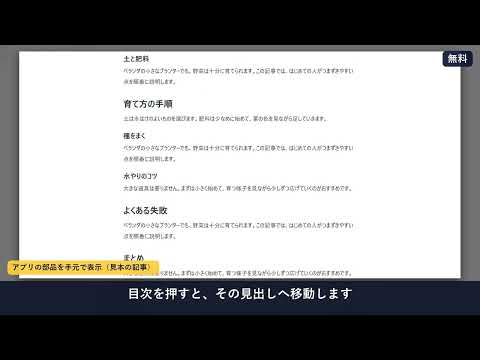
Demo video (Japanese screen). Nothing loads from YouTube until you press play.
Who it is for
Wix Blog owners with long posts, such as guides, how-tos and columns.
Japanese-language blogs: Japanese headings are supported.
Not for you if you want a table of contents on pages other than blog posts: the app covers blog post pages only.
How it works in 3 steps
Install the app. Add it from the Wix App Market. The table of contents is placed at the top of your blog post pages.
Choose how it looks. Open the settings panel to choose the depth, the title, numbering and the language. Free uses the standard blue card.
Publish. Publish the site. Posts with two or more headings show the table of contents; tapping an entry jumps to that heading.
What it does
A table of contents built from the headings
The app reads a post's headings and shows them as a card at the top. Japanese headings work. Posts with fewer than two headings show nothing. On a phone the card starts closed.
Depth, title and numbering
Choose h2 only, h2 to h3 or h2 to h4, a title, and numbering. The language can be Japanese, English or Auto, and there is a light and a dark mode.
Pro: looks, a follow panel and per-post control
Pro adds a choice of three styles (card, line, chips) and six colours, and a panel that follows the reader and marks the heading being read (a side panel, or a button at the bottom right on phones). Per post, a hashtag such as #notoc hides the table, or #toc shows it only on tagged posts.
What it can and cannot do
Blog post pages only.
A post needs at least two headings. The minimum can be raised in the settings, not lowered below two.
It reads a post's headings and hashtags only. It does not read readers, members or comments.
Free: the standard blue card. Styles, colours, the follow panel and per-post control are Pro.
The plan is read on the server from your app subscription, not from the page.
It needs Wix Blog.
Screens in Japanese and English; light and dark modes.
Questions
Does Wix Blog have a table of contents?
Not built in. This app adds one from each post's headings.
Where does it appear?
At the top of the blog post page, on posts with two or more headings.
Does it work with Japanese headings?
Yes.
Does it work on a phone?
Yes. On a phone the table of contents starts closed and opens when tapped.
How far does the free plan go?
Free shows the standard blue card with depth, title and numbering. Styles, colours, the follow panel and per-post control are Pro.
Can I hide it on one post?
With Pro, add the hashtag #notoc (or #目次なし) to the post. Or show it only on posts tagged #toc (or #目次).
 Hullspark