Wix Bookings has no "this day is closed" switch. With this app you pick dates or a Japanese-holiday preset, see how many bookings already exist on those days, and stop new bookings for every staff member and room in one step. Bookings you already have stay.
Made for shops in Japan: the presets are Japanese holidays, Obon and the New Year break. A free plan is available; prices are on the Wix App Market listing.
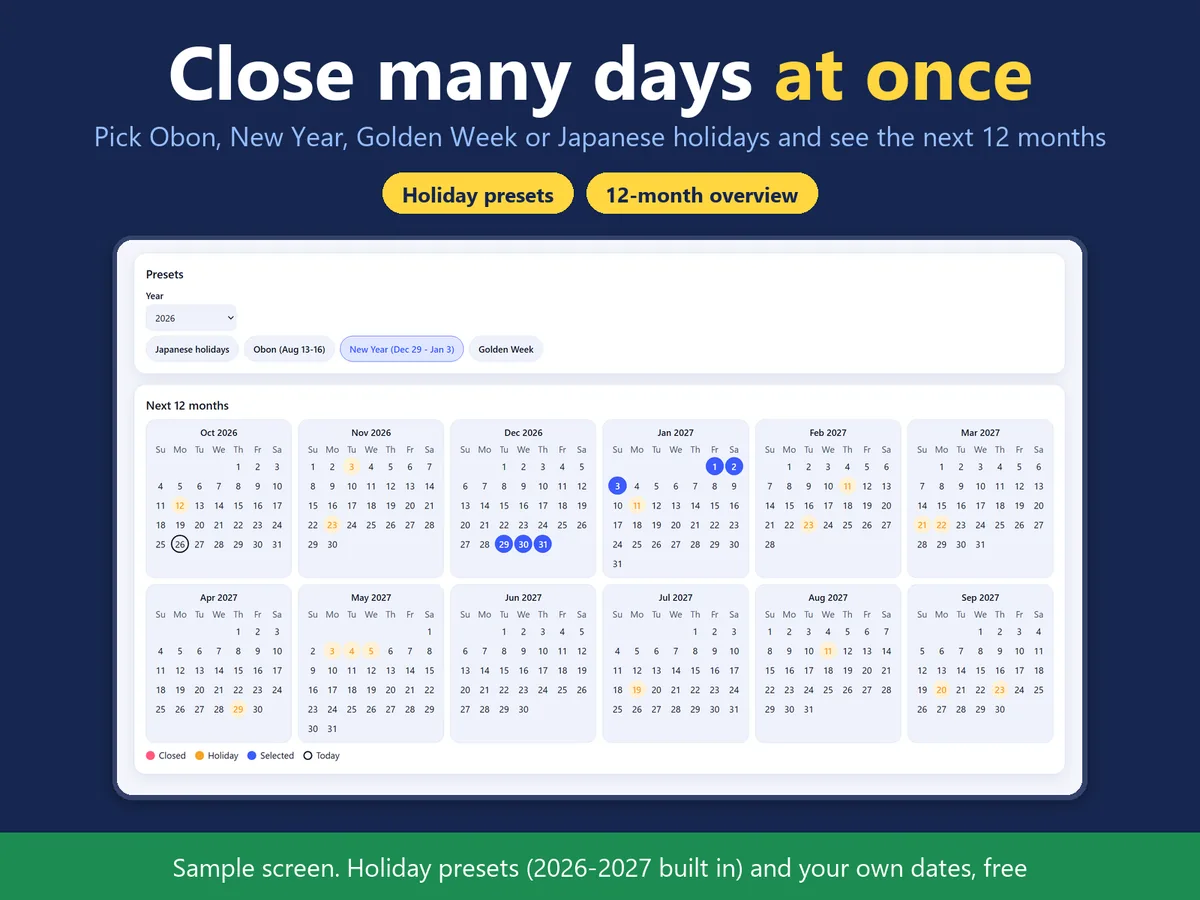
The dashboard page: presets and a twelve-month overview (sample screen).
In four lines
The problemWix Bookings has no vacation mode. Adding closed days one at a time to every staff calendar is slow, and one day is easy to miss before Obon or the New Year.
Where it livesA page in your Wix dashboard. It needs Wix Bookings. Nothing is placed on your public site.
What it doesYou pick dates or a preset: Obon, the New Year break, Golden Week or Japanese national holidays (2026 and 2027 are built in). Before anything changes, the page shows how many bookings already exist on each of those days. When you confirm, the app adds an all-day time-off entry to every staff member's and every room's calendar, so new bookings are not offered on those days.
The resultThe closed days are blocked in one go, and you can undo them with a confirmation. Bookings you already have stay in place.
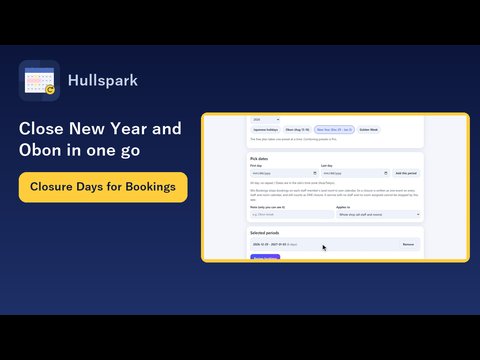
Demo video, 49 seconds. Nothing loads from YouTube until you press play.
Who it is for
Wix Bookings owners in Japan who close for Obon, the New Year break, Golden Week or national holidays.
Salons, studios and clinics with several staff members, where blocking each calendar by hand takes a long time.
Not for you if your services have no staff member and no room assigned: those cannot be stopped by this app.
How it works in 3 steps
Open the page and pick days. Open the app from the dashboard (Wix Bookings is required). Choose a preset or type your own dates. A twelve-month overview shows the days you chose.
Review. The review step shows the number of bookings that already exist on each chosen day, before anything is written.
Close these days. Confirm, and the app adds the time-off entries. To reopen, use Undo in the closures list; it asks for a confirmation and removes only the entries this app made, not blocks you added by hand.
What it does
Presets for Japanese holidays, Obon and New Year
Choose Obon, the New Year break, Golden Week or national holidays (substitute holidays and citizens' holidays included, 2026-2027 built in), or enter your own dates.
See existing bookings before you close
For every chosen day the review shows how many bookings are already there. Existing bookings are never cancelled or changed; only new bookings stop being offered.
One closure, every calendar
The app writes the closure to each staff member's and each room's calendar with the same mark, and counts it as one closure. Undo removes all of its entries together.
Pro: more than the whole shop
Free closes the whole shop, with up to three closures active at a time. Pro removes that limit, lets you combine presets, close a single staff member, undo several closures at once and save a CSV history. Pro also tops up holidays for the next 12 months each time you open the app; it does not run in the background.
What it can and cannot do
It needs Wix Bookings. Without it the page asks you to add Bookings.
A service with no staff member and no room assigned cannot be stopped. Closures are written to each staff member's and room's calendar.
Existing bookings stay; the app never cancels them.
Undo removes only closures made by this app, not time blocks you added by hand. Undo your closures before you uninstall the app; leftover blocks can be deleted by hand in the Bookings calendar.
Japanese national holidays for 2026 and 2027 are built in. Other dates can be entered by hand.
Dates follow your site's time zone.
It does not read customer information; it only counts bookings per day.
Screens in Japanese and English.
Questions
Do bookings I already have disappear?
No. They stay; only new bookings stop.
Can I close days per staff member?
Yes, with Pro.
Do I need to add holidays every year?
With the Pro holiday top-up, holidays of the next 12 months that are not closed yet are added each time you open the app in this browser. It does not run in the background.
Does a closure stop every service?
It stops every service that has a staff member or a room assigned. A service with neither cannot be stopped by this app.
Does it work without Wix Bookings?
No. The page then asks you to add Wix Bookings.
Does it read customer information?
No. It only counts bookings per day.
What happens if I uninstall the app?
Remove your closures before uninstalling; otherwise delete the blocked time by hand in the Bookings calendar.
 Hullspark