 Hullspark
Find duplicate labels in one list
Labels that differ only by plural or by hyphen, underscore or no separator are grouped, with usage counts and a suggested label to keep.
Find duplicate labels, then bulk merge, rename or delete them across pages and blog posts. A dry run shows the affected pages first.
Try it on the Atlassian Marketplace Getting started: your first label merge in four steps
Free for up to 10 users, 30-day free trial for larger sites. Runs entirely on Atlassian. For Confluence Cloud.
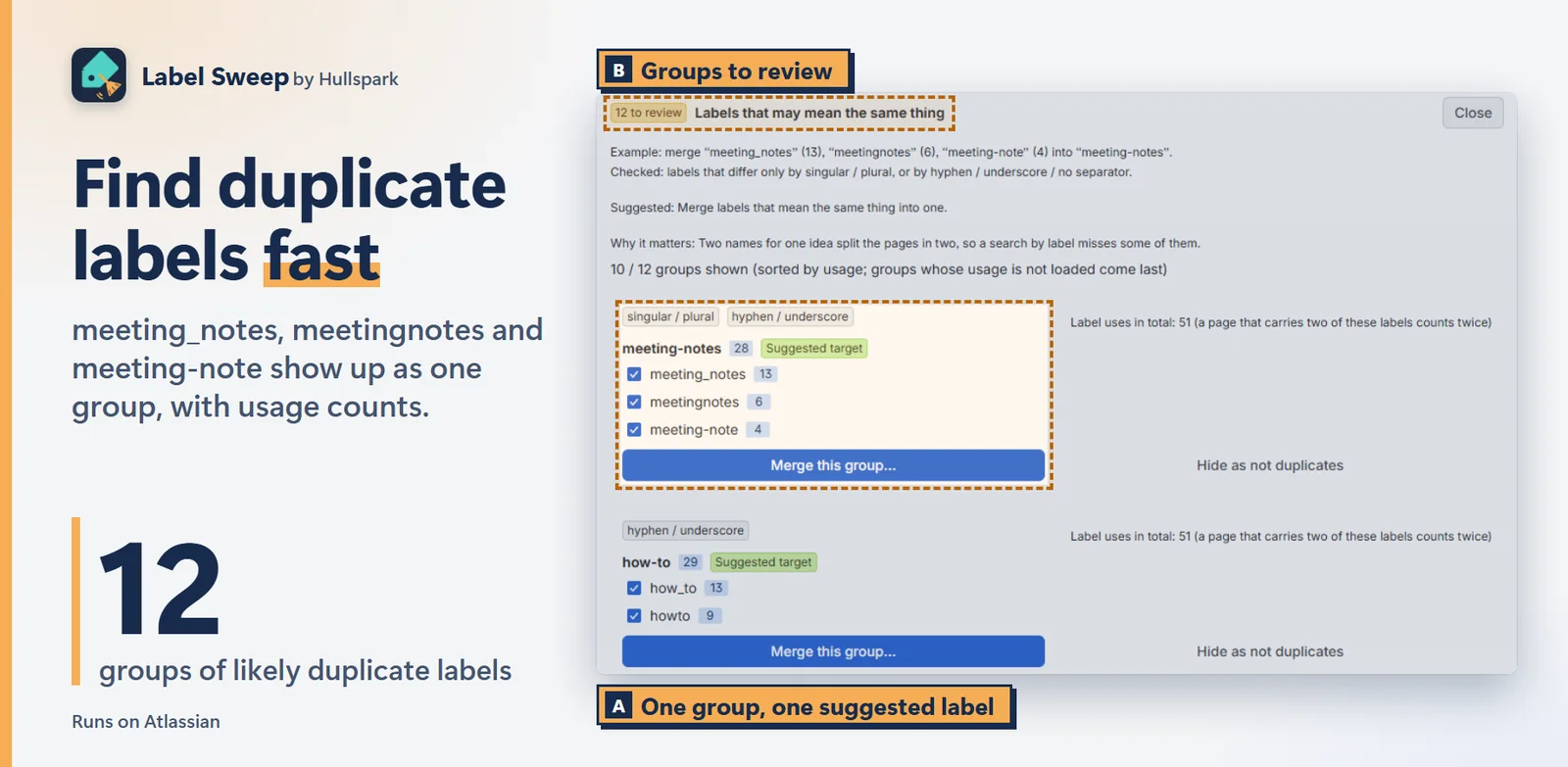
Labels that differ only by plural or by hyphen, underscore or no separator are grouped, with usage counts and a suggested label to keep.
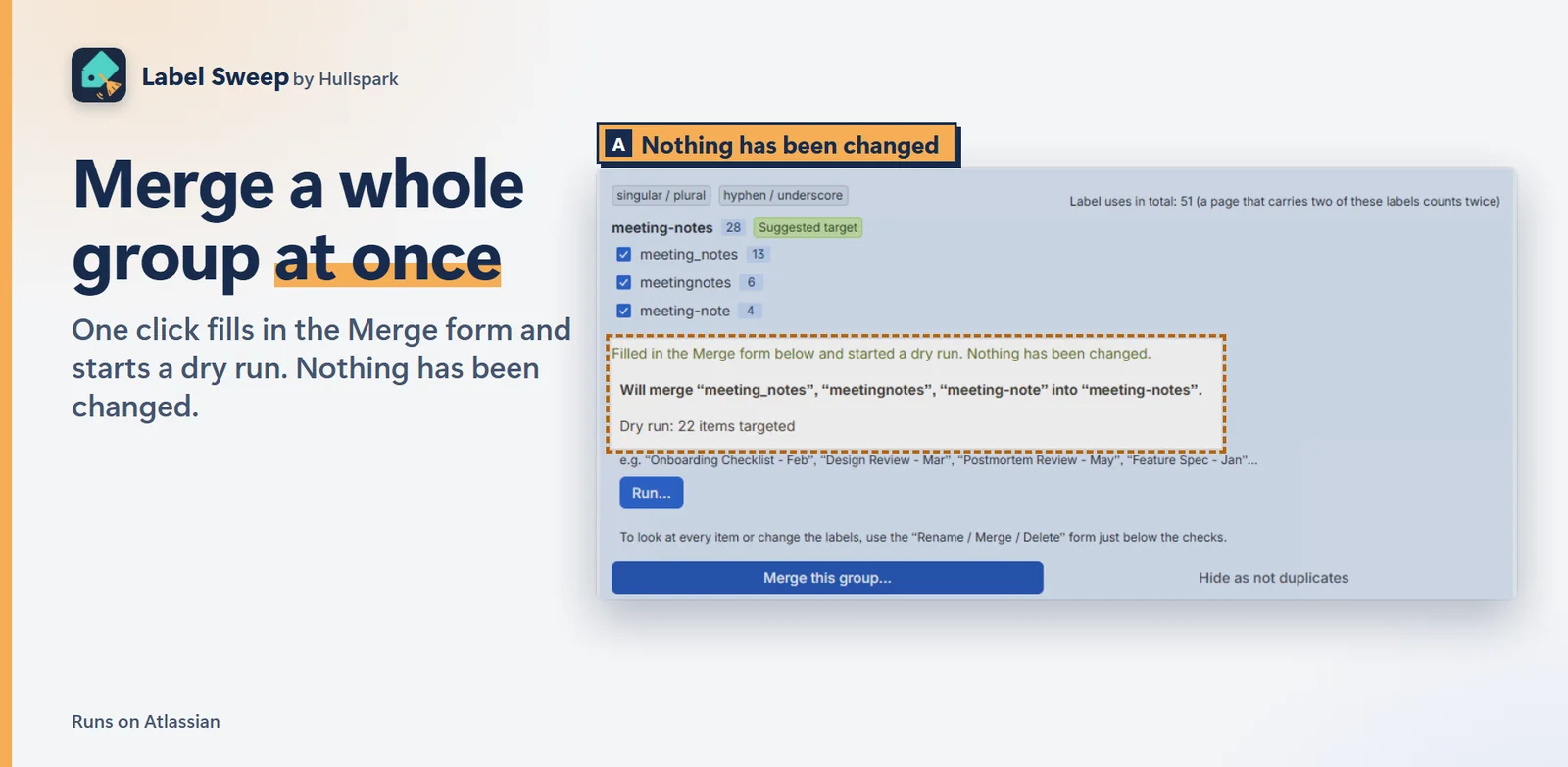
Merge this group… fills in the merge form and starts a dry run. The dry run lists what will change. Nothing changes until you press Run.
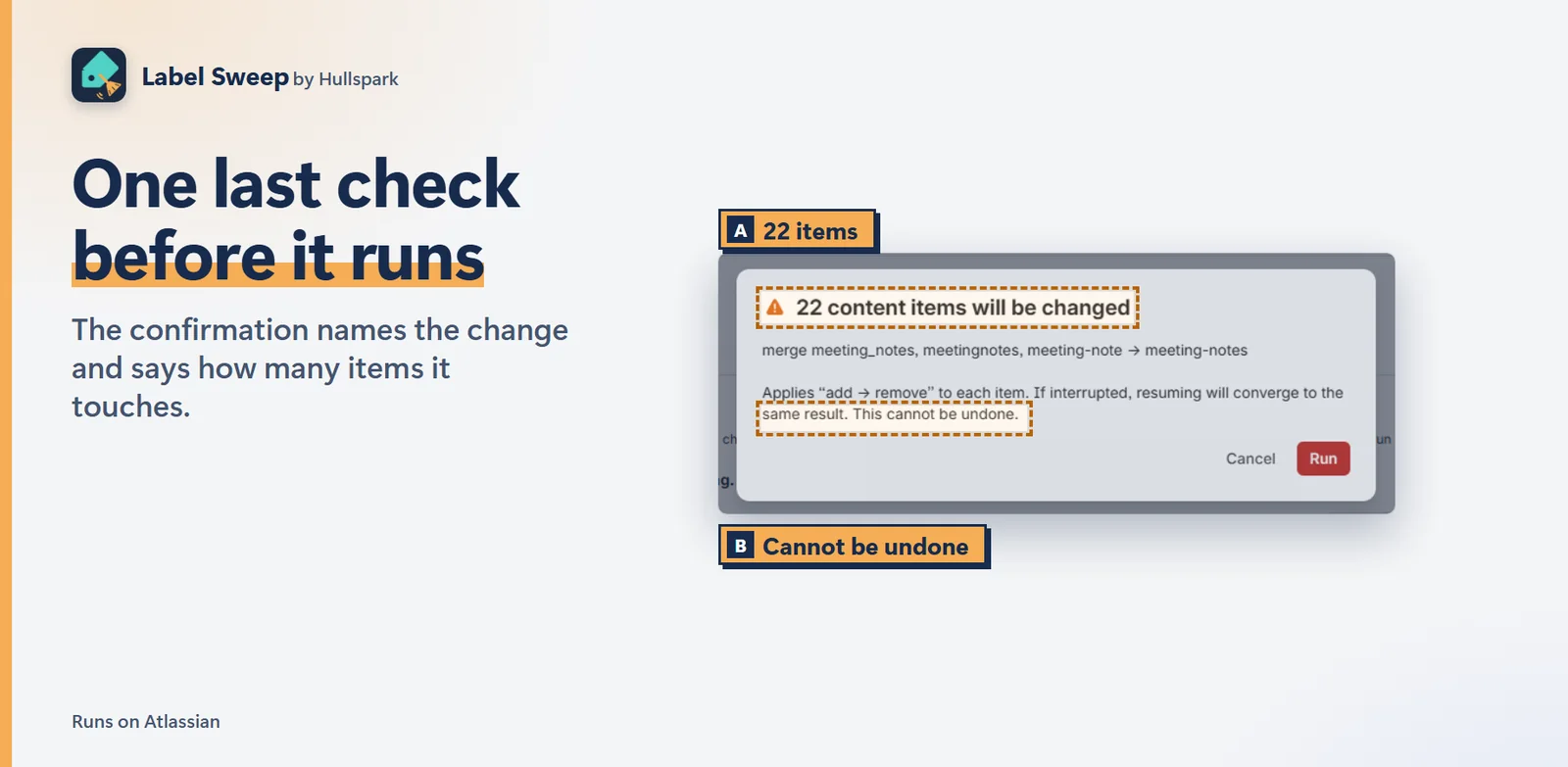
The confirmation names the change and says how many items it touches. It also says plainly that the change cannot be undone, which is why the dry run comes first.
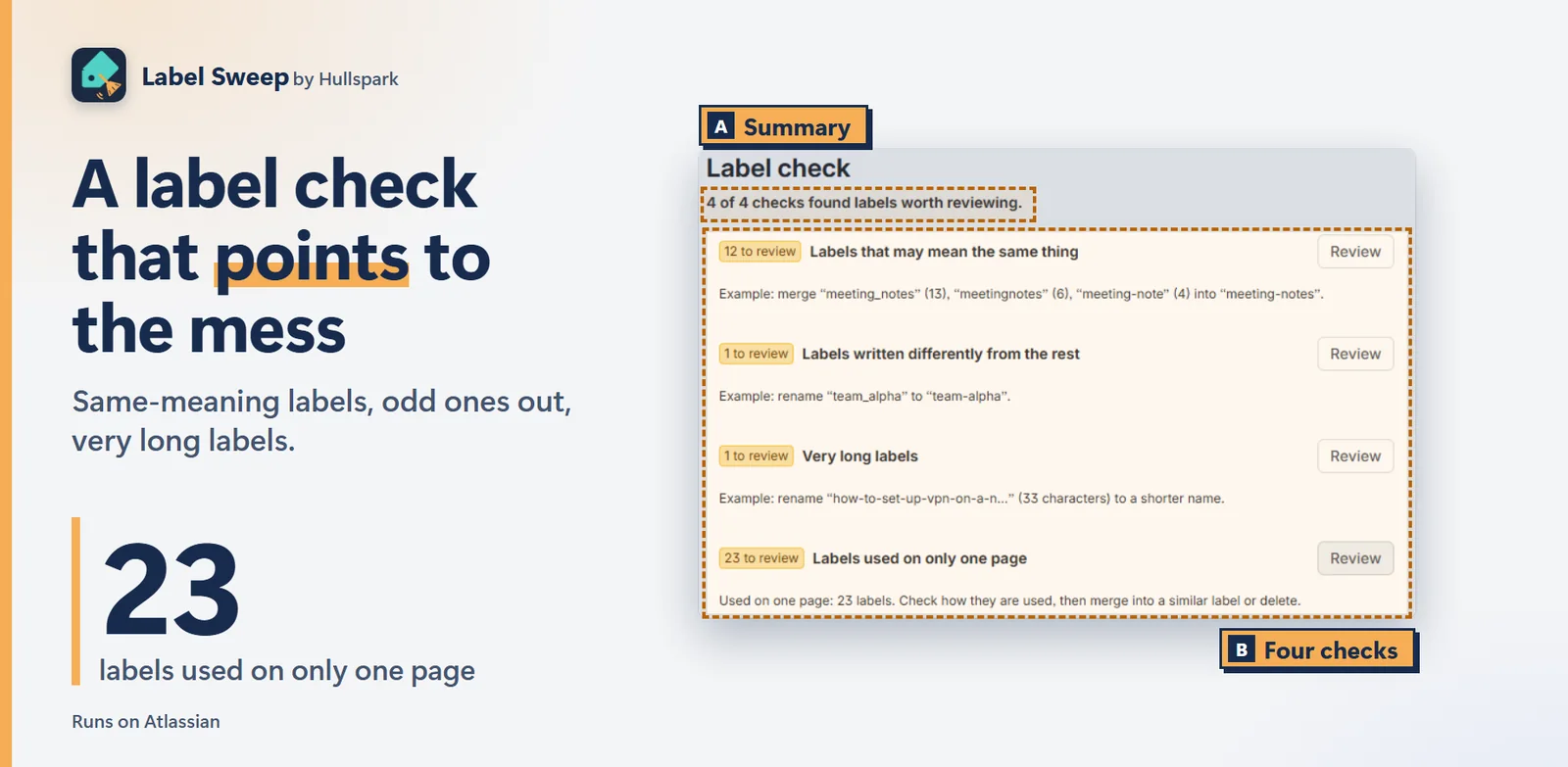
Label check also finds labels used on only one page, labels written differently from the rest, and very long labels. It only suggests. You decide what to change.
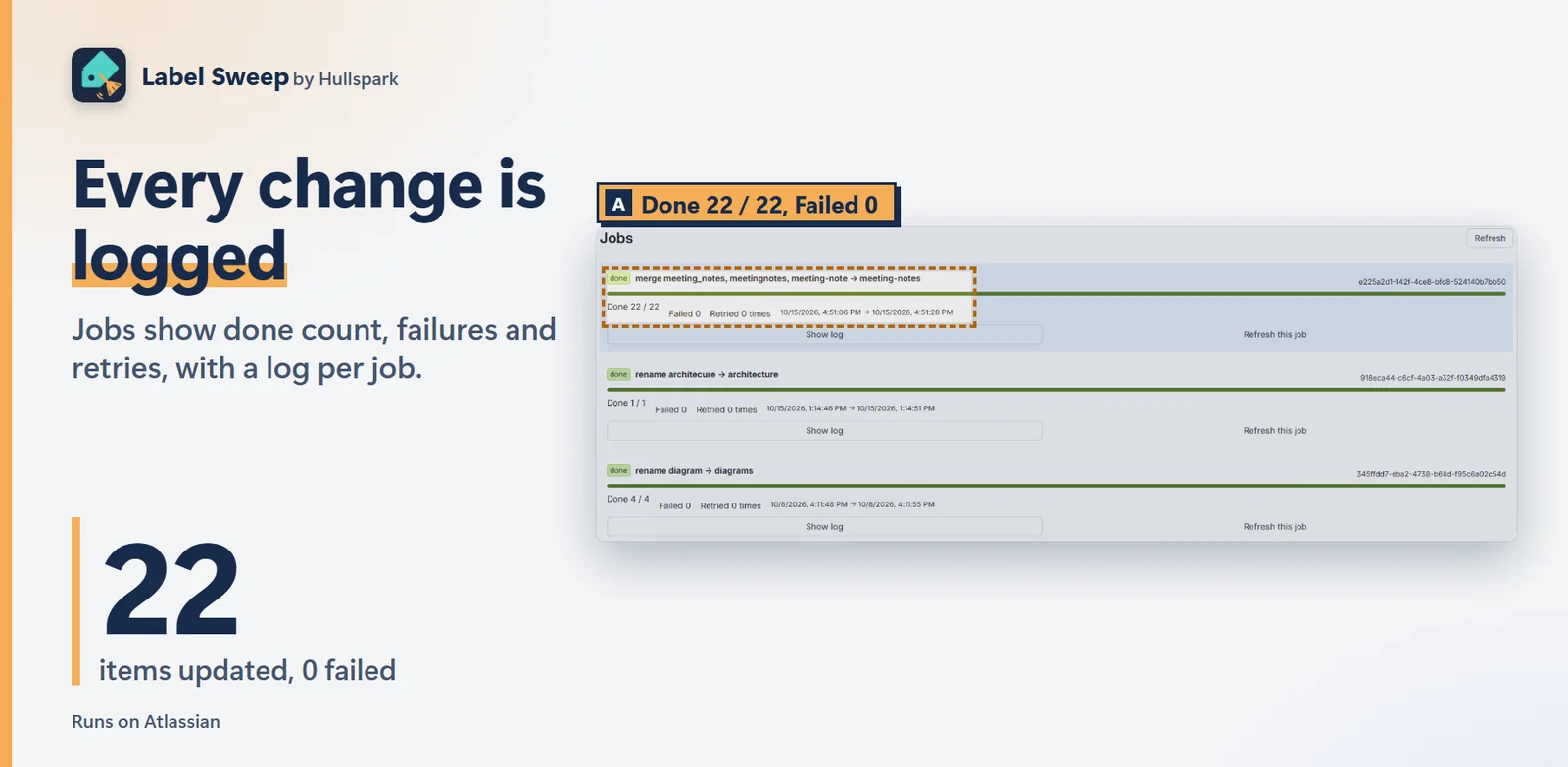
Jobs show how many items were updated, how many failed, and a log per job. An interrupted job can be resumed where it stopped.
The app is in read-only mode, which happens when it is not licensed, for example after a trial ends. Listing, search and dry run keep working. Once the license is active in Apps, Manage apps, the buttons come back.
Jobs run in the background on Atlassian in resumable chunks, so closing the tab is fine. Each page is processed as “add the new label, then remove the old one”, so a job that stops partway leaves pages either untouched or fully converted, never with labels lost. Press Resume and it continues where it stopped.
Pages and blog posts, with global labels. Attachment labels and space labels are not handled yet.
No. The app runs on Atlassian. Details are in the privacy policy.
Free for up to 10 users. Larger sites get a 30-day free trial, and current pricing is on the Marketplace listing.
Try it on the Atlassian Marketplace
Questions? Support or support@hullspark.com.
重複ラベルを見つけ、ページとブログ記事でまとめて統合・改名・削除します。先にドライランで、変わるページを確かめられます。
Atlassian Marketplace で試す はじめに: 最初のラベル統合を 4 ステップで
10 ユーザーまで無料、それ以上は 30 日間無料で試せます。すべて Atlassian の中で動きます。Confluence Cloud 向け。
単数・複数、ハイフン・アンダースコア・区切りなしだけが違うラベルを 1 組にまとめ、使用数と「残すラベル」の候補を付けます。
Merge this group… を押すと統合フォームが埋まり、ドライランが始まります。ドライランは、変わる対象を一覧します。実行を押すまで何も変わりません。
確認では、何を変えるかと、触る件数が出ます。元に戻せないこともはっきり書かれています。だから、先にドライランです。
1 ページだけで使われているラベル、ほかと書き方が違うラベル、長すぎるラベルも見つけます。提案だけで、変えるかはあなたが決めます。
Jobs に、更新した件数、失敗した件数、ジョブごとのログが出ます。止まったジョブは、止まった所から再開できます。
アプリが読み取り専用になっています。試用が終わったあとなど、ライセンスがないときです。一覧・検索・ドライランは使えます。Apps の Manage apps でライセンスが有効になれば、ボタンが戻ります。
ジョブは Atlassian の中で、再開できる小さな単位でバックグラウンドで動くので、タブを閉じても大丈夫です。各ページは「新しいラベルを足してから、古いラベルを外す」順で処理するので、途中で止まったジョブは、ページが「手つかず」か「変換済み」のどちらかで、ラベルが消えることはありません。Resume を押すと、止まった所から続きます。
ページとブログ記事のグローバルラベルです。添付ファイルのラベルとスペースのラベルは、まだ扱えません。
出ません。アプリは Atlassian の中で動きます。詳しくはプライバシーポリシーをご覧ください。
10 ユーザーまで無料です。それより大きなサイトには 30 日間の無料試用があります。現在の料金は Marketplace の掲載ページをご覧ください。
質問は サポートページか support@hullspark.com へ。