 Hullspark
Pick a reviewer. Pick a date.
Set review policy takes a reviewer, a due date and, if you like, a repeat interval, in one dialog. The settings are saved as a page property. The page body is not edited.
Set a reviewer and a due date on a page. A banner shows on the page, and the reviewer is @mentioned when it is due. No Premium plan needed.
Try it on the Atlassian Marketplace Getting started: your first review date in four steps
Free for up to 10 users, 30-day free trial for larger sites. Runs entirely on Atlassian. For Confluence Cloud.
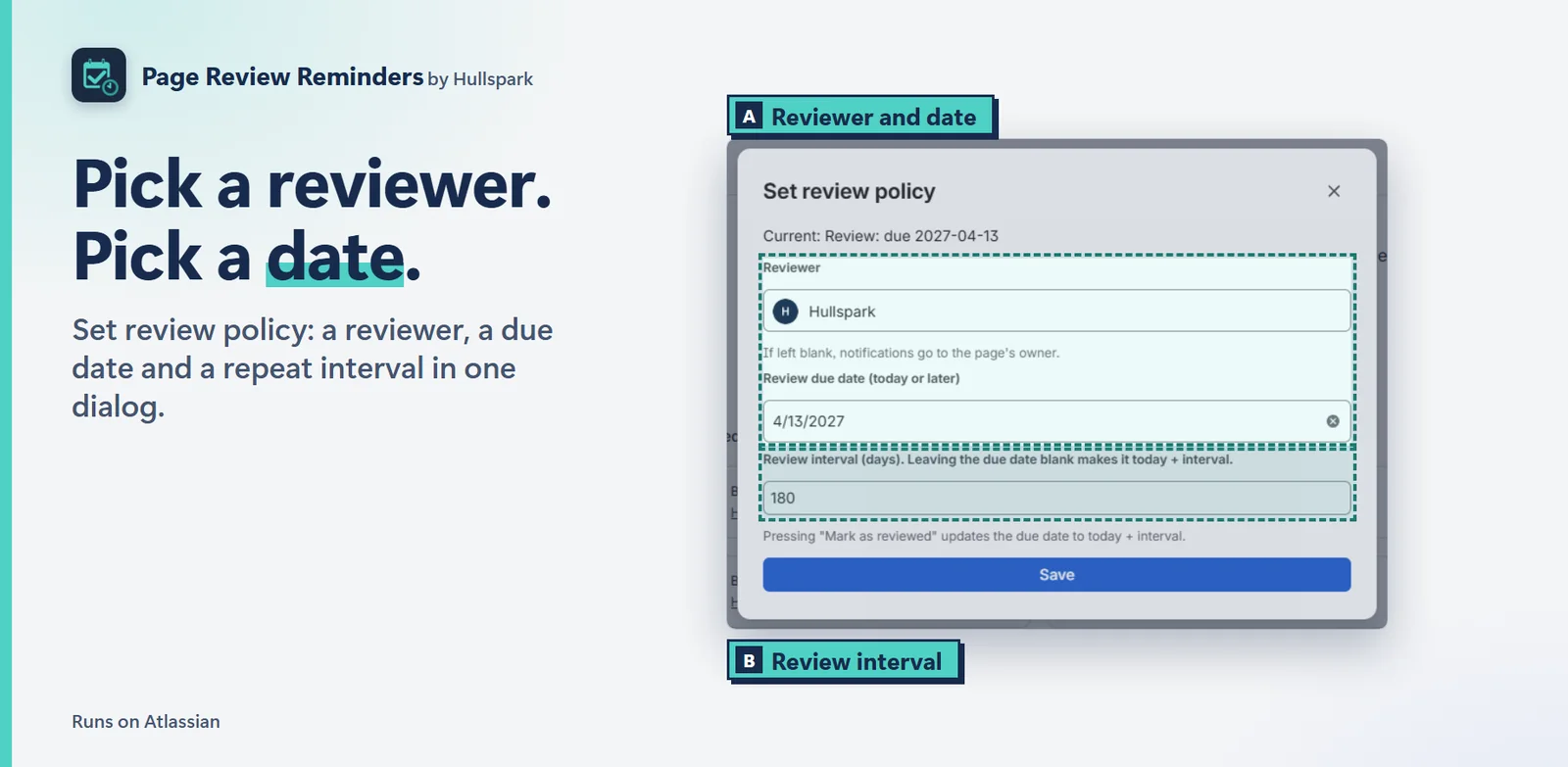
Set review policy takes a reviewer, a due date and, if you like, a repeat interval, in one dialog. The settings are saved as a page property. The page body is not edited.
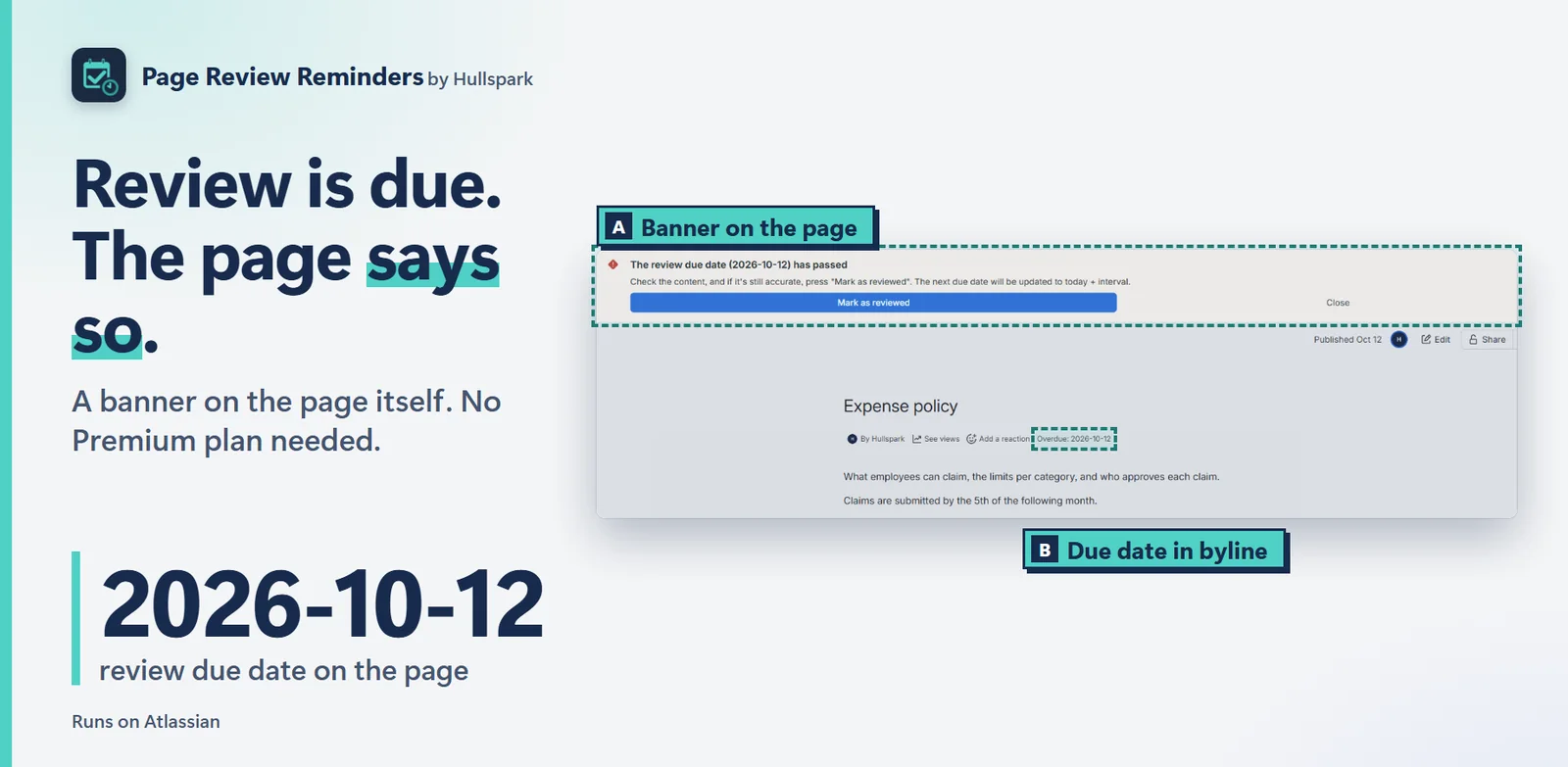
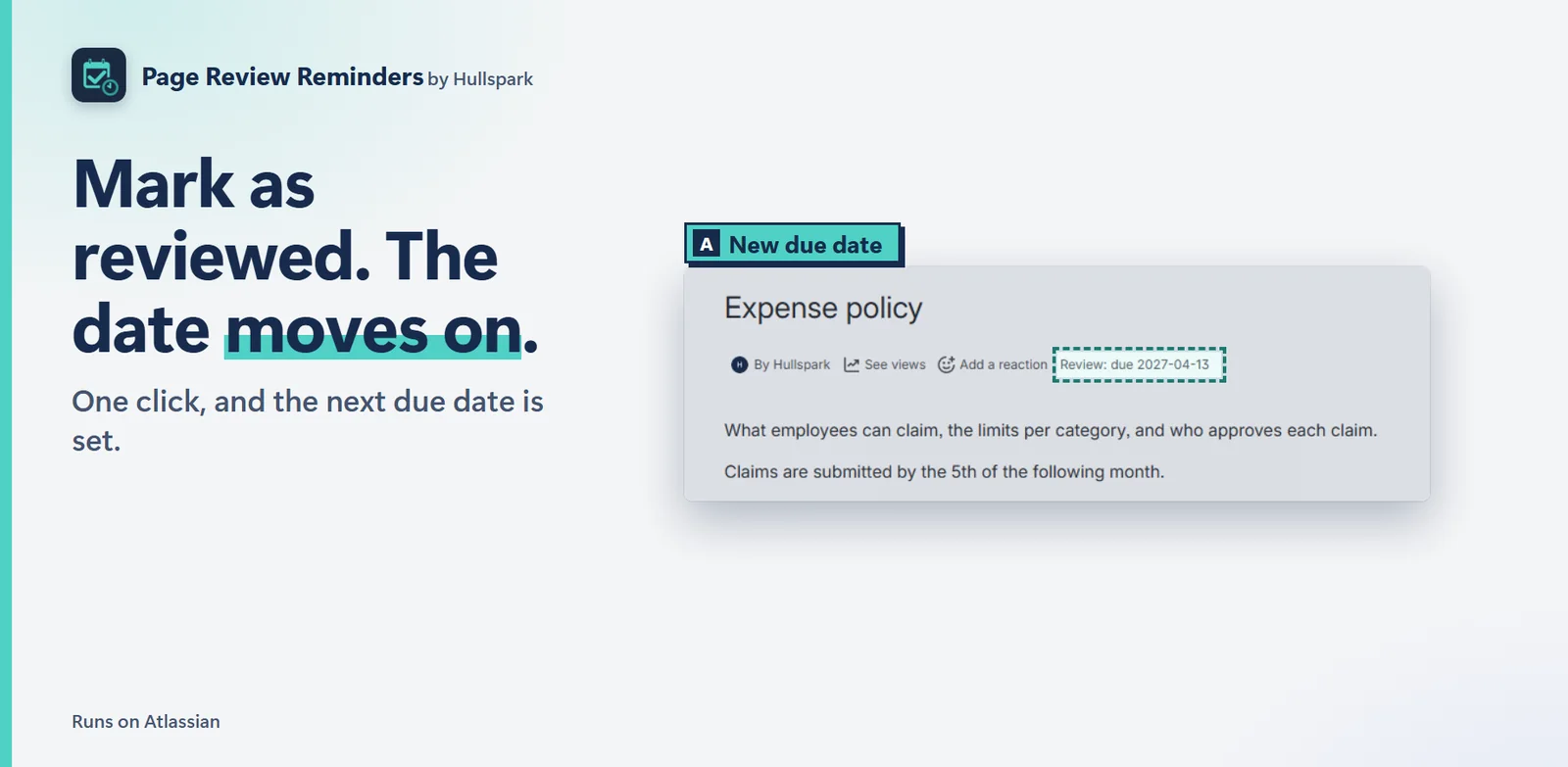
The page itself tells you: a banner when the review is due soon or overdue, with Mark as reviewed. The byline shows the due date.
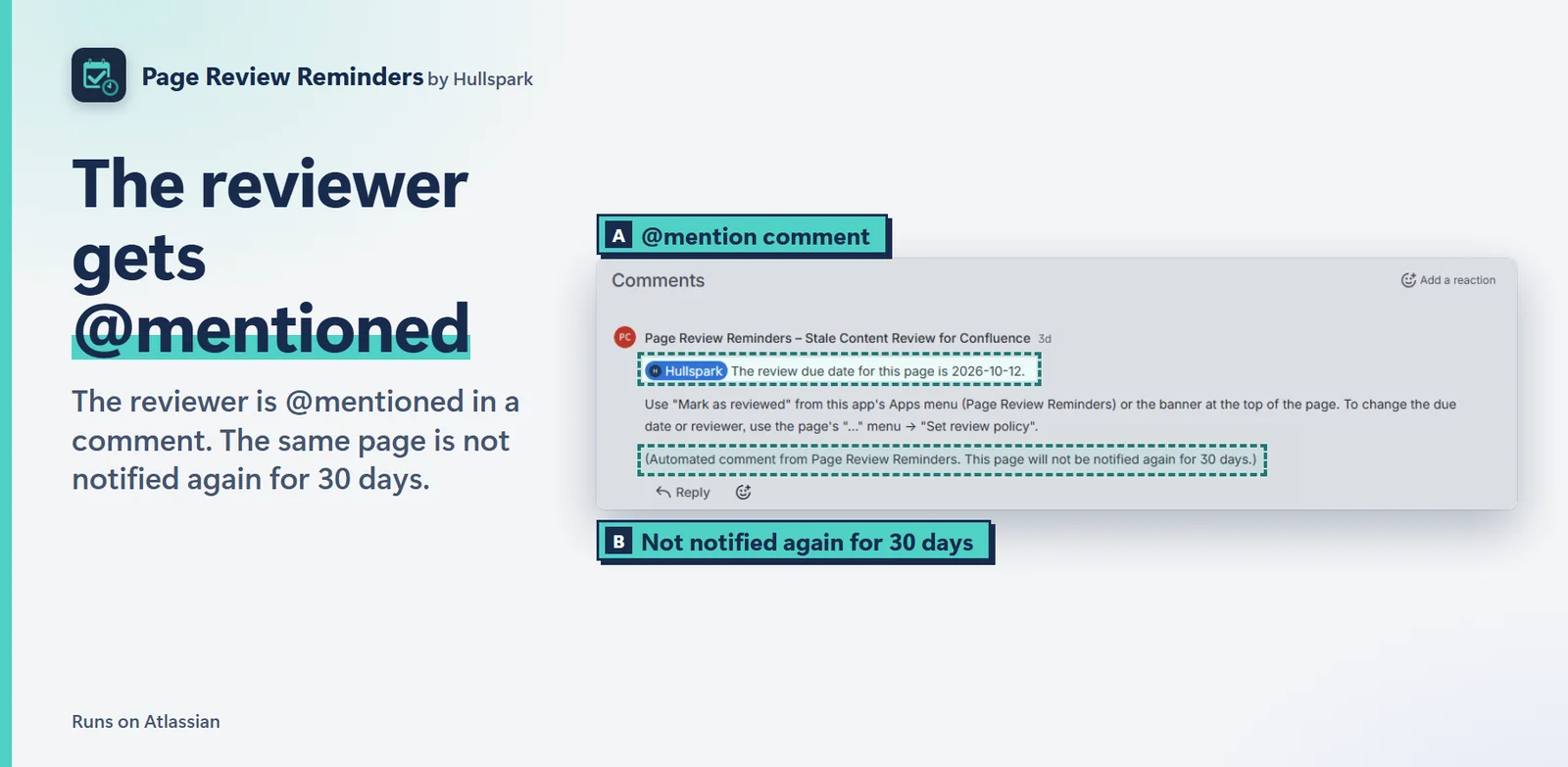
A daily scan posts one comment that @mentions the reviewer, or the page owner if none is set. Confluence then sends its own notification for the mention. The same page is not mentioned again for 30 days.
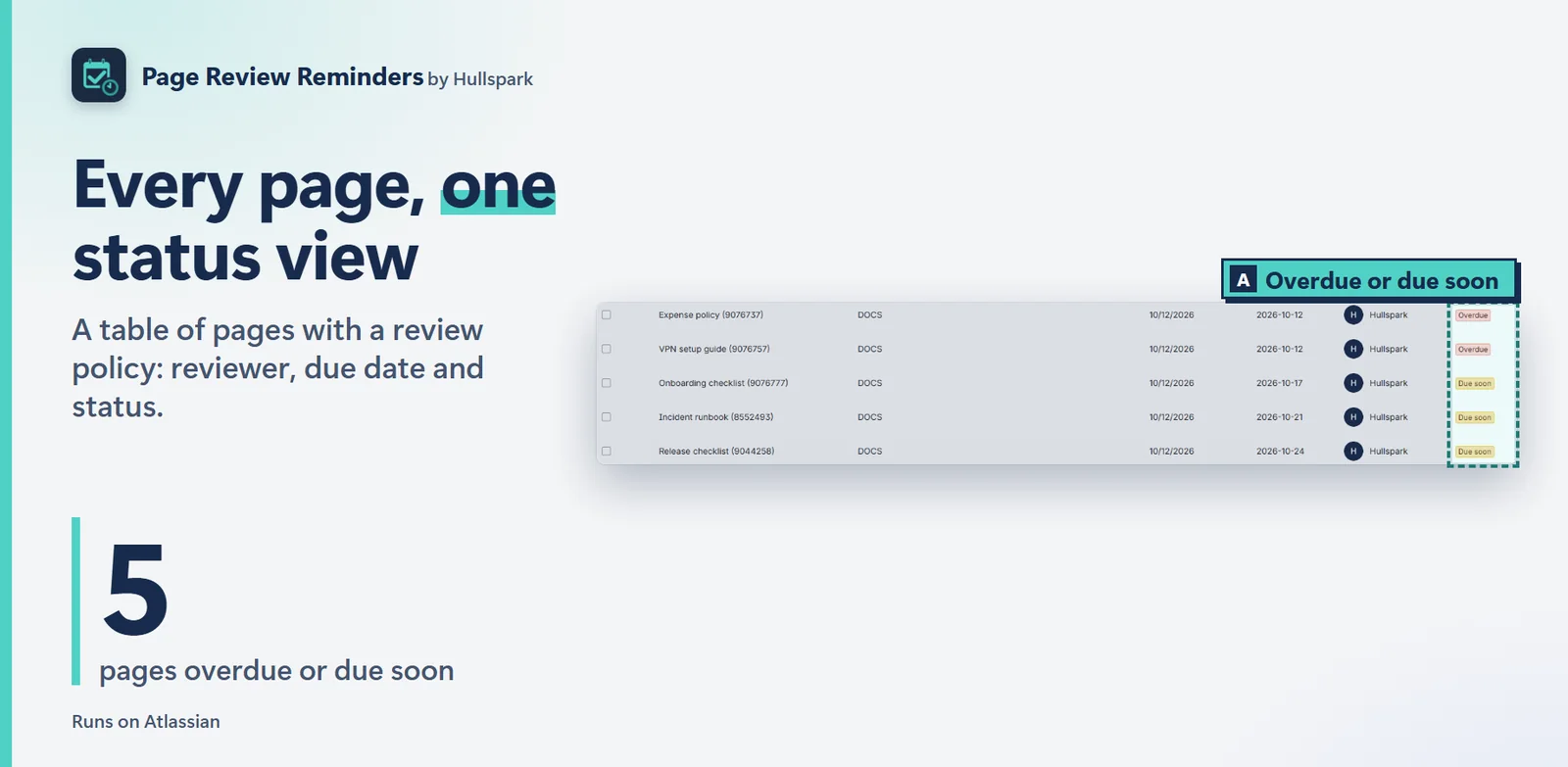
Site administrators get a table of pages with a review policy: reviewer, due date and status. They can set or clear policies on many pages at once, after a dry-run count.
One click, and the next due date is set from the interval.
Open the page and choose Set review policy from the “…” menu, or click the Review: not set item in the byline. Pick a reviewer, then a due date or a review interval in days, and save.
The app does not send email. It posts a comment that @mentions the reviewer, and Confluence sends its own notification, in the bell and by email according to your notification settings. A page gets at most one reminder per 30 days.
No. The app works on every Confluence Cloud plan.
No. The app runs on Atlassian. Details are in the privacy policy.
Free for up to 10 users. Larger sites get a 30-day free trial, and current pricing is on the Marketplace listing.
Try it on the Atlassian Marketplace
Questions? Support or support@hullspark.com.
ページに担当者と見直しの期日を決めます。期日が来るとページの上に帯が出て、担当者に @メンションが届きます。Premium は要りません。
Atlassian Marketplace で試す はじめに: 最初の見直し期日を 4 ステップで
10 ユーザーまで無料、それ以上は 30 日間無料で試せます。すべて Atlassian の中で動きます。Confluence Cloud 向け。
Set review policy の 1 つのダイアログで、担当者、期日、必要なら繰り返しの間隔を決めます。設定はページのプロパティに保存され、本文は編集しません。
見直しの期日が近い・過ぎていると、ページ自体に帯が出て、Mark as reviewed を押せます。byline には期日が出ます。
毎日の走査が、担当者(いなければページの所有者)を @メンションするコメントを 1 つ投稿します。そのメンションに対して Confluence が標準の通知を送ります。同じページへは 30 日間、もう一度は送りません。
サイト管理者は、見直しポリシーのあるページを、担当者・期日・状態つきの表で見られます。ドライランの件数を確認してから、多くのページのポリシーをまとめて設定・解除できます。
1 回の操作で、次の期日が間隔にしたがって決まります。
ページを開き、「…」メニューの Set review policy、または byline の Review: not set をクリックします。担当者と、期日または間隔(日数)を選んで保存します。
アプリはメールを送りません。担当者を @メンションするコメントを投稿し、Confluence が標準の通知を、ベルとメールで(通知の設定にしたがって)送ります。同じページへのリマインドは、30 日に 1 回までです。
いいえ。Confluence Cloud のどのプランでも使えます。
出ません。アプリは Atlassian の中で動きます。詳しくはプライバシーポリシーをご覧ください。
10 ユーザーまで無料です。それより大きなサイトには 30 日間の無料試用があります。現在の料金は Marketplace の掲載ページをご覧ください。
質問は サポートページか support@hullspark.com へ。