A workbook that was 200 KB last year is 40 MB now, and nobody knows why. Drop it on the window: the app shows what its size is made of, then writes a smaller copy and checks it. Your original is never changed.
Windows only. Free to download. Your files stay on this PC and the app makes no network connection of its own.
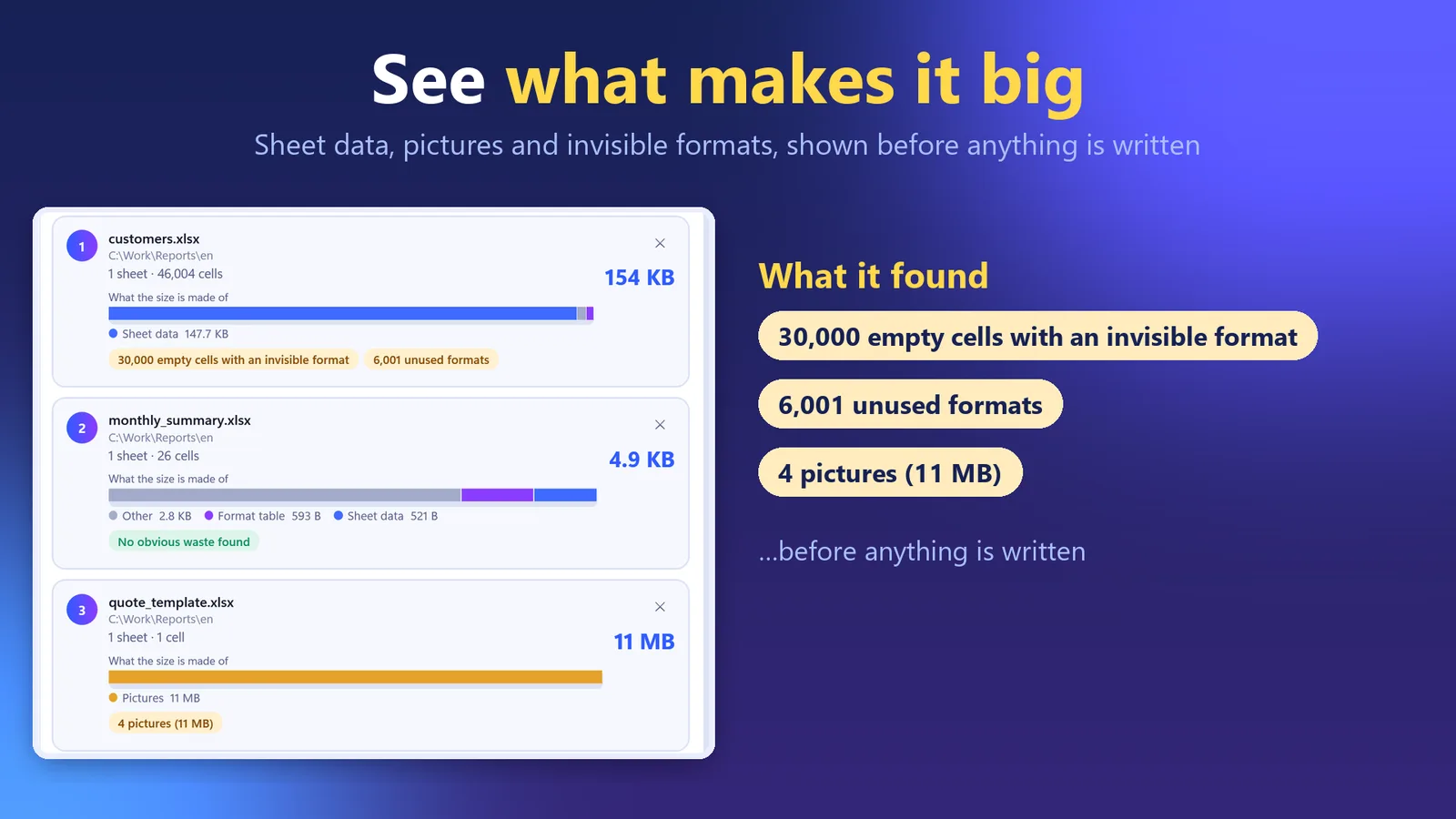
What each file's size is made of, shown before anything is written. Made-up sample files.
In four lines
The problemUsually it is not the data. It is formatting left on millions of empty cells, formats no cell uses any more, pasted photos, or names that point nowhere.
Where it is on screenDrop .xlsx files, or a whole folder, on the window. Each file shows a bar of what its size is made of (sheet data, pictures, format table and more), and under it what the app found.
What you doChoose what to clean, then press Make smaller. For every file a new .xlsx is written next to the original, or in a folder you pick.
What you getA smaller copy named name_small.xlsx, checked before it is kept. The original is never changed or overwritten.
What you can do
See what makes it big
Before anything is written, each file shows what its size is made of: sheet data, pictures, format table, text, shapes and more. Under the bar the app lists what it found: empty cells that carry a format nobody can see, formats no cell uses, broken names, and pictures with their size.
A checked copy
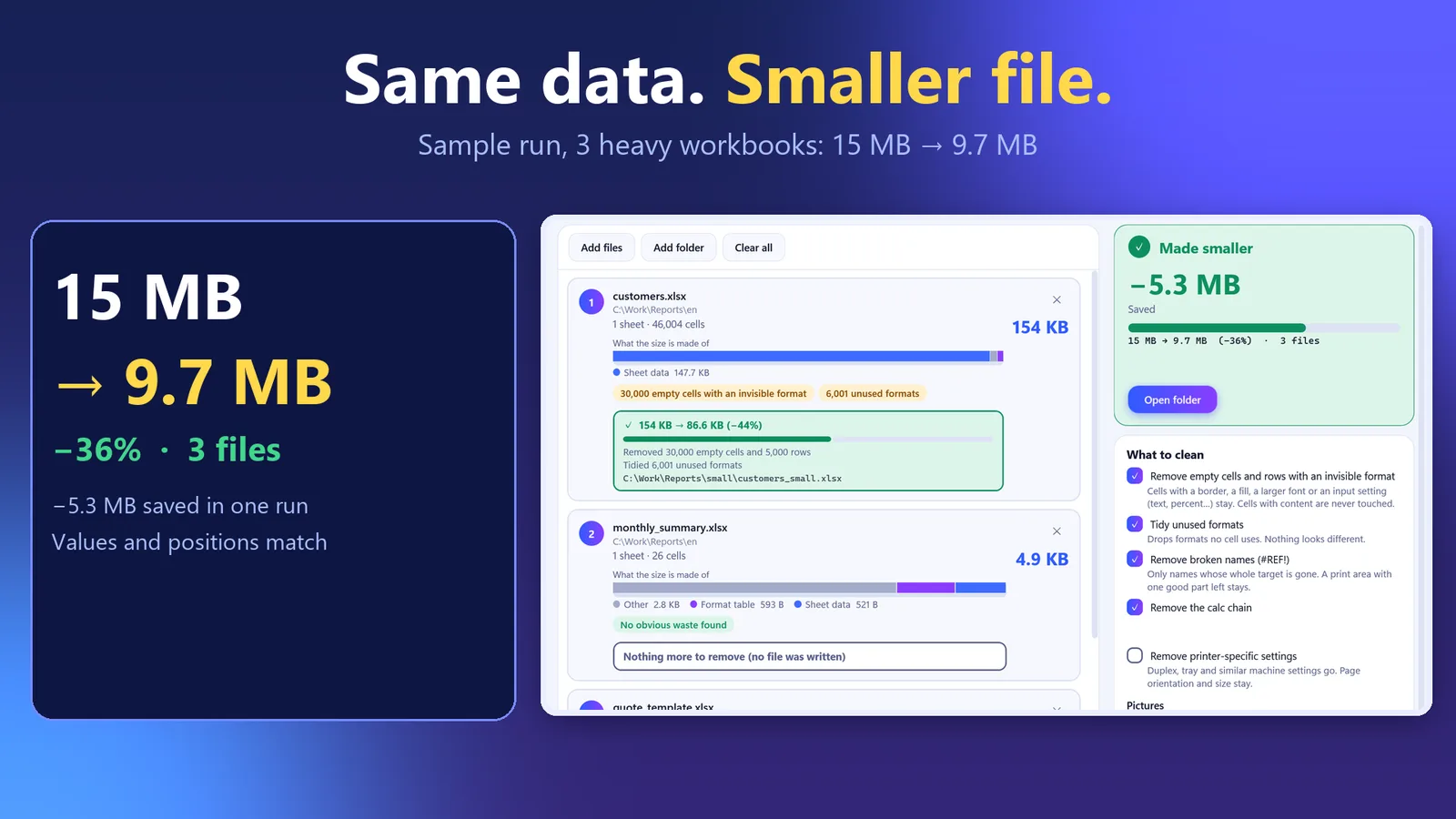
After writing, the app checks the new file: it reads as a package, has the same number of sheets, every cell that holds a value or formula is in the same place with the same value, every relationship points at a part that exists, and every cell refers to a format that exists. This compares file contents; it is not a look in Excel. If a file does not pass, nothing is kept and the original is untouched. A file with nothing worth removing is reported as such and no copy is written.
A sample run on three made-up heavy workbooks: 15 MB to 9.7 MB.
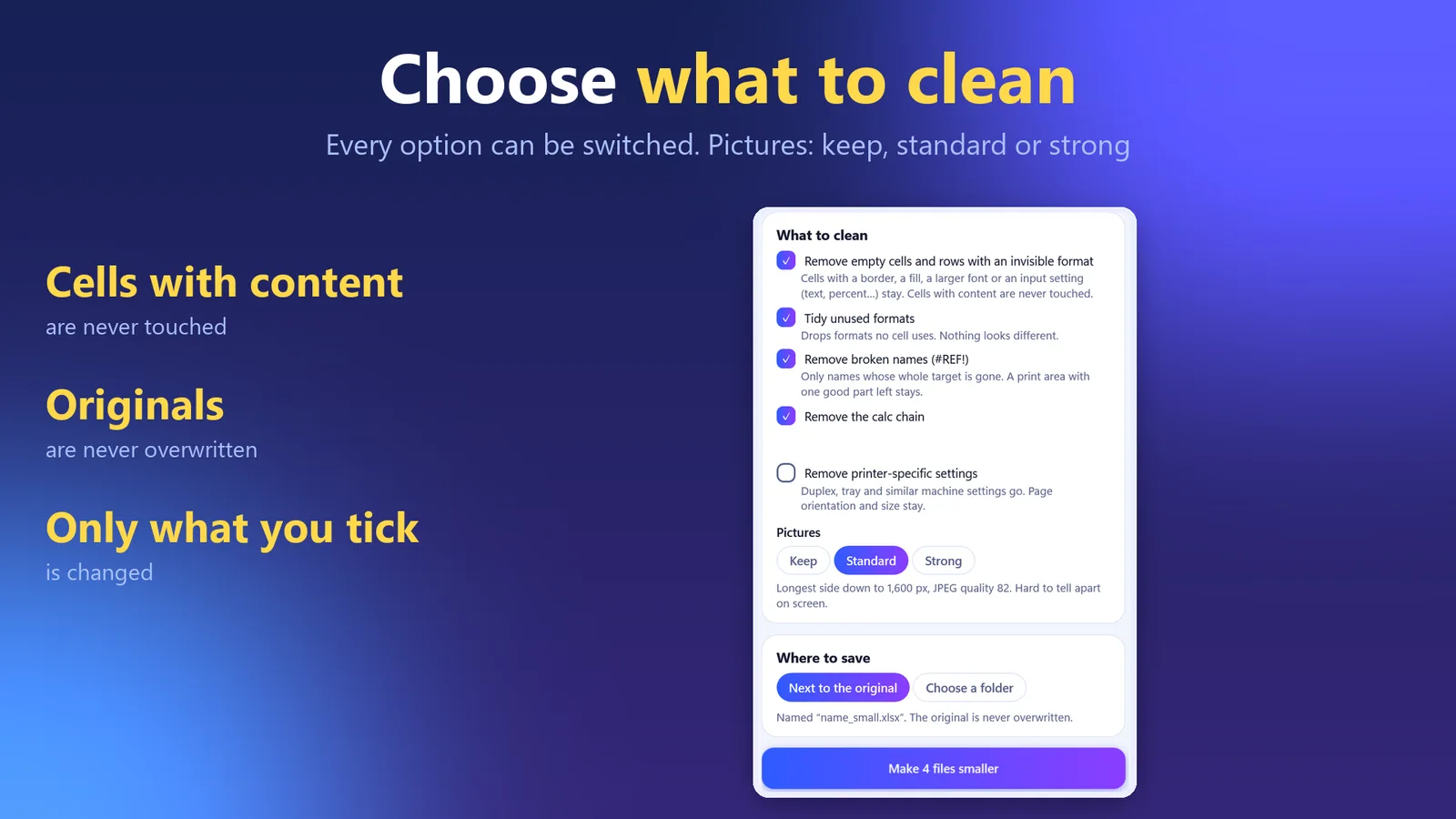
Choose what to clean
Each cleanup can be switched on or off: empty cells and rows whose only content is a format you cannot see, formats no cell, row or column uses, names whose whole target is gone (#REF!), the calc chain, and printer-specific settings (off by default). Pictures: keep, standard (longest side 1,600 px, JPEG quality 82) or strong (1,024 px, quality 70). Cells with a value or formula are never removed.
Every option can be switched. Pictures: keep, standard or strong.
Good to know
Windows only. Works with .xlsx files, including ones saved by Excel; no other program is needed.
The free edition handles up to 3 files per run, with every option. The full edition, bought once in the Microsoft Store, removes the limit so a whole folder can be done at once.
A name whose whole target is gone is removed. A formula that used such a name shows #NAME? instead of #REF! after Excel recalculates.
The calc chain is rebuilt by Excel the next time it opens the file. Values and formulas are not touched.
Pictures with a rotation flag and CMYK JPEGs are left alone. The size a picture is shown at on the sheet does not change.
Password-protected files, .xls, .xlsb and macro workbooks (.xlsm) are named and skipped.
The pictures on this page show made-up sample files, not anyone's data.
Questions
Is my original file changed?
No. A new file named name_small.xlsx is written next to it, or in a folder you pick. The original is never changed or overwritten.
What if the new file is wrong?
After writing, the app checks that the new file reads as a package, has the same number of sheets, and that every cell with a value or formula is in the same place with the same value. If it does not pass, nothing is kept. The check compares file contents; it is not a look in Excel.
What does it remove?
Empty cells and rows whose only content is a format you cannot see, formats nothing uses, names whose whole target is gone (#REF!), the calc chain, optionally printer-specific settings, and it can shrink pictures. Each one can be switched off.
Does it need Excel?
No. It works with .xlsx files directly, including ones saved by Excel.
How many files can I do for free?
The free edition handles up to 3 files per run, with every option. The full edition removes the limit.
Which files are skipped?
Password-protected files, .xls, .xlsb and macro workbooks (.xlsm). The app names them and skips them.
Does anything leave my PC?
No. Files stay on this PC and the app makes no network connection of its own.
 Hullspark