Excel keeps asking whether to update links, but Edit Links only names the files. Drop a workbook on Workbook Link Finder and it lists the places that point to another file, with the sheet, the position, what is written there and the target.
Windows only. Your files are only read and nothing goes over the network. A 7-day free trial with every feature is available through the Microsoft Store.
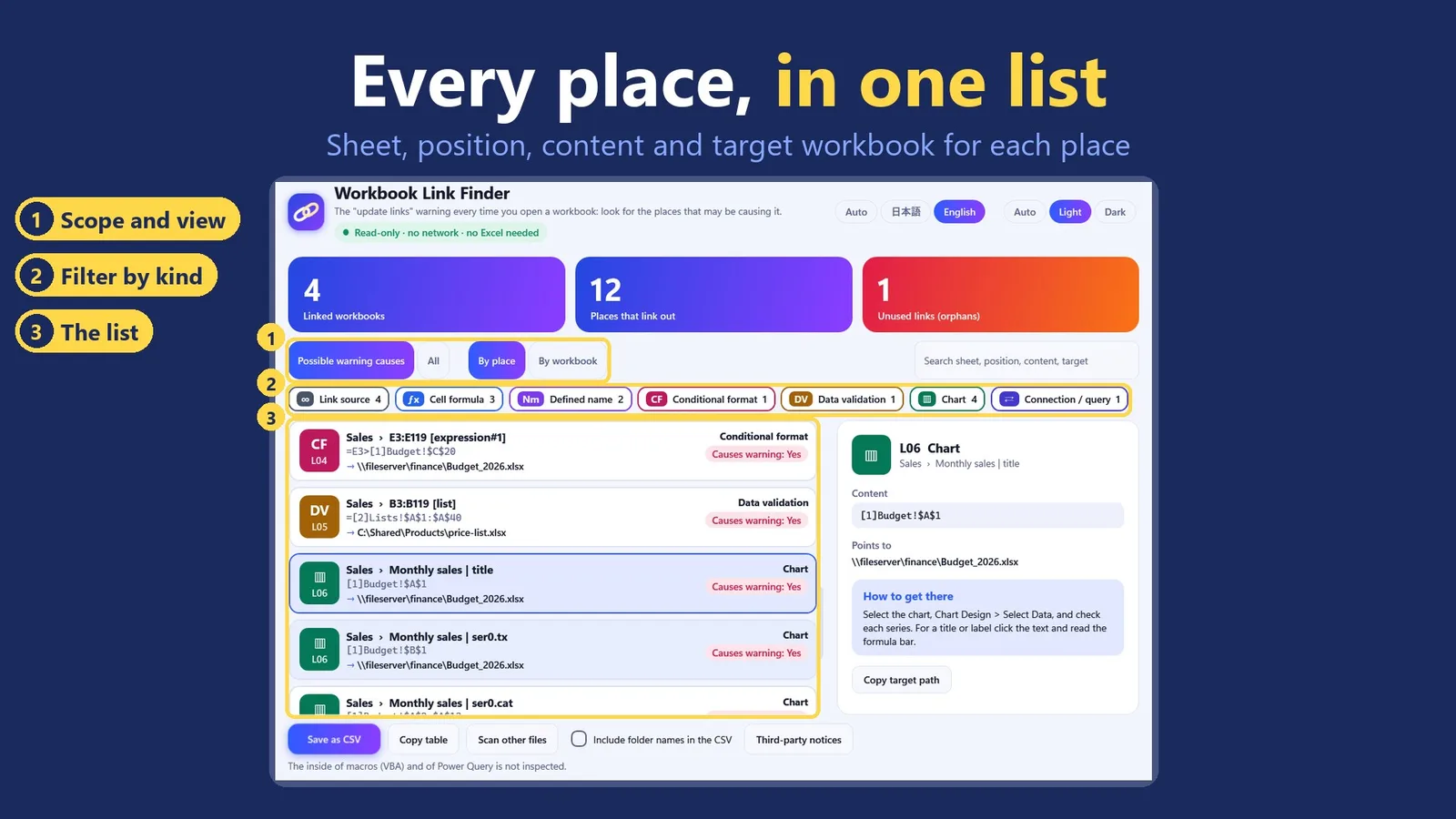
Every place that links out, with its sheet, position, content and target workbook. Sample workbooks, not real data.
In four lines
The problemA workbook opens with a bar about links to other files, or asks whether to update links. Edit Links shows which files are involved, but not where in the workbook the references sit.
Where it is on screenDrop Excel files, or a whole folder with its subfolders, on the window. The list appears under three counts: linked workbooks, places that link out and unused links. Switch between By place and By workbook.
What it doesIt reads the files without starting Excel and lists each place that points to another workbook. Select a row for a short note on how to reach that place in Excel.
What you getA list you can save as a CSV file or copy as a table. Your files are only read: nothing is changed and nothing goes over the network.
What you can do
Where it looks
It looks in cell formulas, defined names including hidden ones, conditional formatting, data validation, charts, shapes and form controls, PivotTables, data connections, table formulas, sparklines, linked objects and the workbook's own list of linked files. Hyperlinks are shown separately because they do not cause the update warning.
Hidden names and unused links
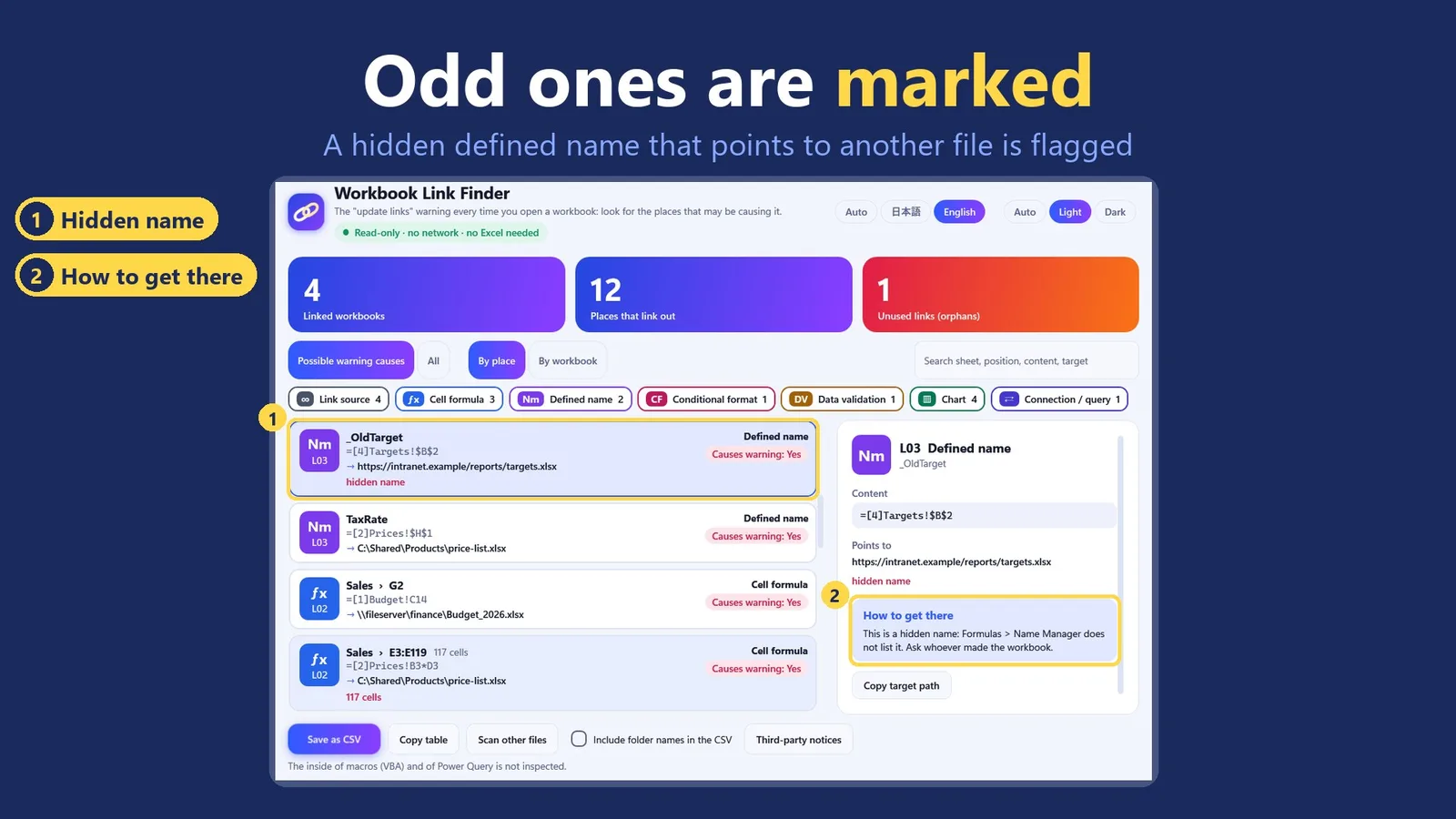
A hidden defined name that points to another file is found and flagged. Entries in the workbook's list of linked files that nothing uses are marked too.
A hidden defined name that points to another file is found and flagged.
By place or by workbook
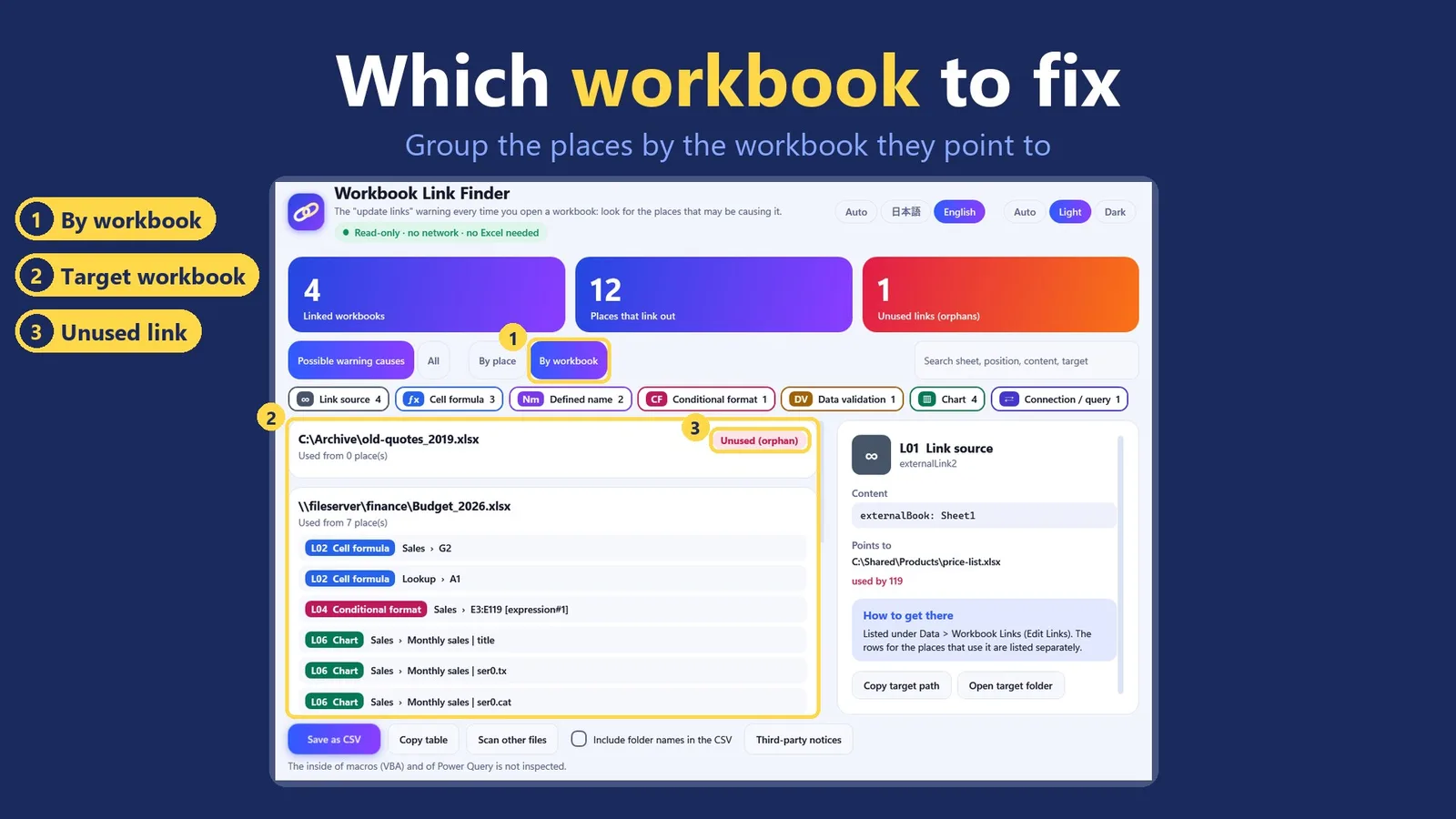
View the results by place, or grouped by the workbook they point to. A search box filters by sheet, position, content or target. Save the list as a CSV file or copy it as a table.
Grouped by target workbook, with link entries that nothing uses.
Good to know
Windows only. Reads .xlsx, .xlsm, .xltx and .xltm files.
It only reads your files. It does not change them, does not remove or repair links, and makes no network connections.
It does not look inside VBA macros or Power Query. The older .xls and .xlsb formats and password-protected files are not opened.
Some kinds of reference may still be missed, so the list shows what the app found, not proof that a workbook has no other links. When nothing turns up, the app suggests what to check next.
The interface is in English and Japanese, with light and dark themes.
The pictures on this page show made-up sample workbooks, not anyone's data.
Questions
Do I need Excel?
No. Workbook Link Finder reads the files itself, without starting Excel.
Will it remove the links?
No. It only finds and lists them. It does not remove or repair links and does not change your files.
Does an empty result mean the workbook has no links?
No. Some kinds of reference may be missed, so the list shows what the app found. When nothing turns up, the app suggests what to check next.
Does it check hyperlinks?
Yes, but it lists them separately, because hyperlinks do not cause the update-links warning.
Can it scan a whole folder?
Yes. Choose a folder and the files in its subfolders are scanned too.
 Hullspark