 Hullspark
Counted quantity in, gap in colour
Products and variants sit in one table. Typing the counted quantity shows the difference at once: green for more, red for fewer, grey for none. A progress bar shows how many rows you have counted.
棚卸
A Wix app for the day after you count the shelves. Type or paste the quantities you counted, see the gap against your Wix stock in colour, check it, and write all of it in one go instead of opening products one by one.
See it on the Wix App Market 日本語のページ
Free for up to 30 products per update. Nothing changes in your store until you confirm.
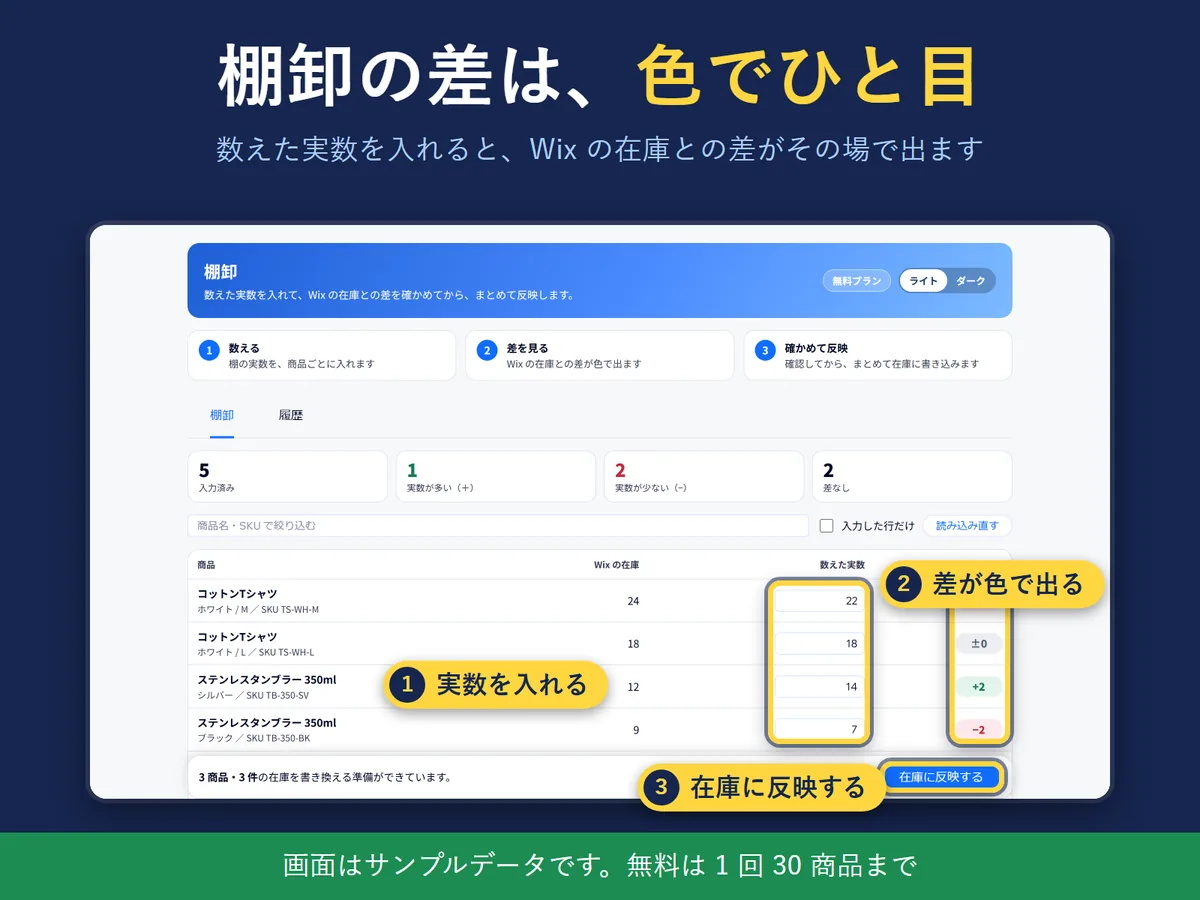
Products and variants sit in one table. Typing the counted quantity shows the difference at once: green for more, red for fewer, grey for none. A progress bar shows how many rows you have counted.
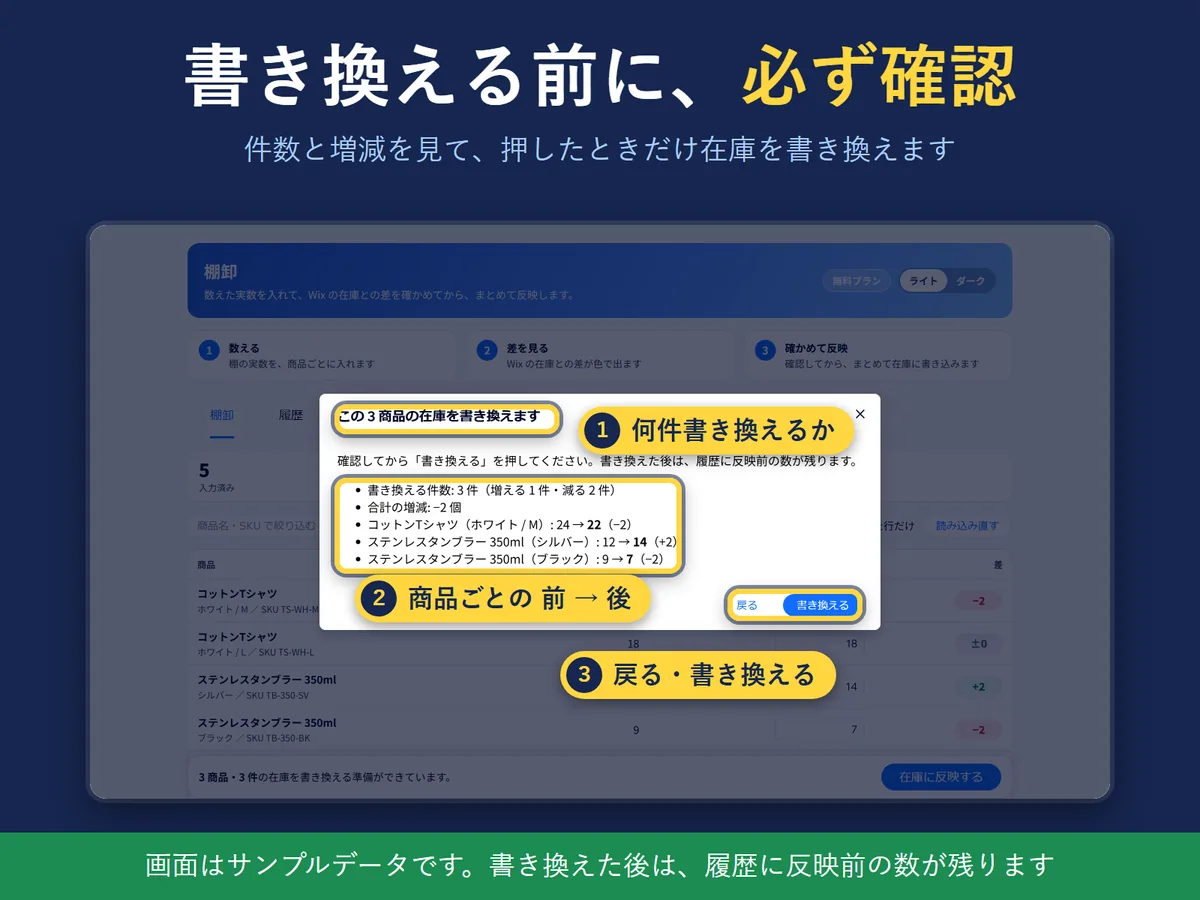
The dialog lists the number of products to change, the total change and the first five rows as “before → counted”. If a sale moved the stock of a product while you were counting, that row shows “when counted → now”, and you choose either to adjust by the difference or to count again. Updating is blocked until you have chosen.
Every update stores the stock before and after it in the History tab. You can export the history as CSV. If you update by mistake, enter the old number again, less anything sold since, and update once more.

“View a sample” lets you try the screen with made-up products. The app does not read or write your store data in that mode.
The screen comes in English and Japanese, in light and dark. The language follows your saved choice, then the Wix dashboard language, then the browser language, and you can switch it on the screen.
No. Stock is written only when you press "Update stock" and then confirm in the dialog. What is written is the exact quantity you counted.
The row of that product shows "when counted → now". Choose to adjust by the difference or to count again, then update. Rows that already succeeded stay updated.
The History tab keeps the stock from before each update, and you can export it as CSV. Because the app writes the number itself, if something sold after the update, enter the old number minus those sales and update again.
Yes. One column of numbers fills down from the first row. Two columns, SKU and count, fill the rows with that SKU. It shows how many rows will be filled before you apply it.
Free lets you update up to 30 products at a time and keeps 30 days of history. Pro has no product limit and an unlimited history. The price is on the Wix App Market listing.
Products with "Track inventory" turned off in Wix have only in stock or out of stock, not a number, so they are shown in grey and cannot be counted here.
Yes. "View a sample" lets you use made-up products. The app does not read or write your store data in that mode.
No. It has permission to read and write products and inventory, to check your store catalog version and to check this app's plan.
Yes. The screen is in English and Japanese, in light and dark.
Wix is a trademark of Wix.com Ltd. This page and the app are not affiliated with, made by or endorsed by Wix.
Questions? Support or support@hullspark.com. Privacy policy
Listing on the Wix App Market