 Hullspark
One threshold for every product, or your own for a product or variant
“Start watching at 5” watches all products. The list shows every product with its stock, lowest first, so the ones at risk are at the top.
在庫アラート
A Wix app that tells you when a product is running low or sold out, before a customer finds out first. Alerts go to your phone and your dashboard bell, with one summary each morning and an order note grouped by supplier. You can watch as many products as you like on the free plan.
See it on the Wix App Market 日本語のページ
Free, with no limit on products watched. No email is sent. Reads products, categories and stock only.
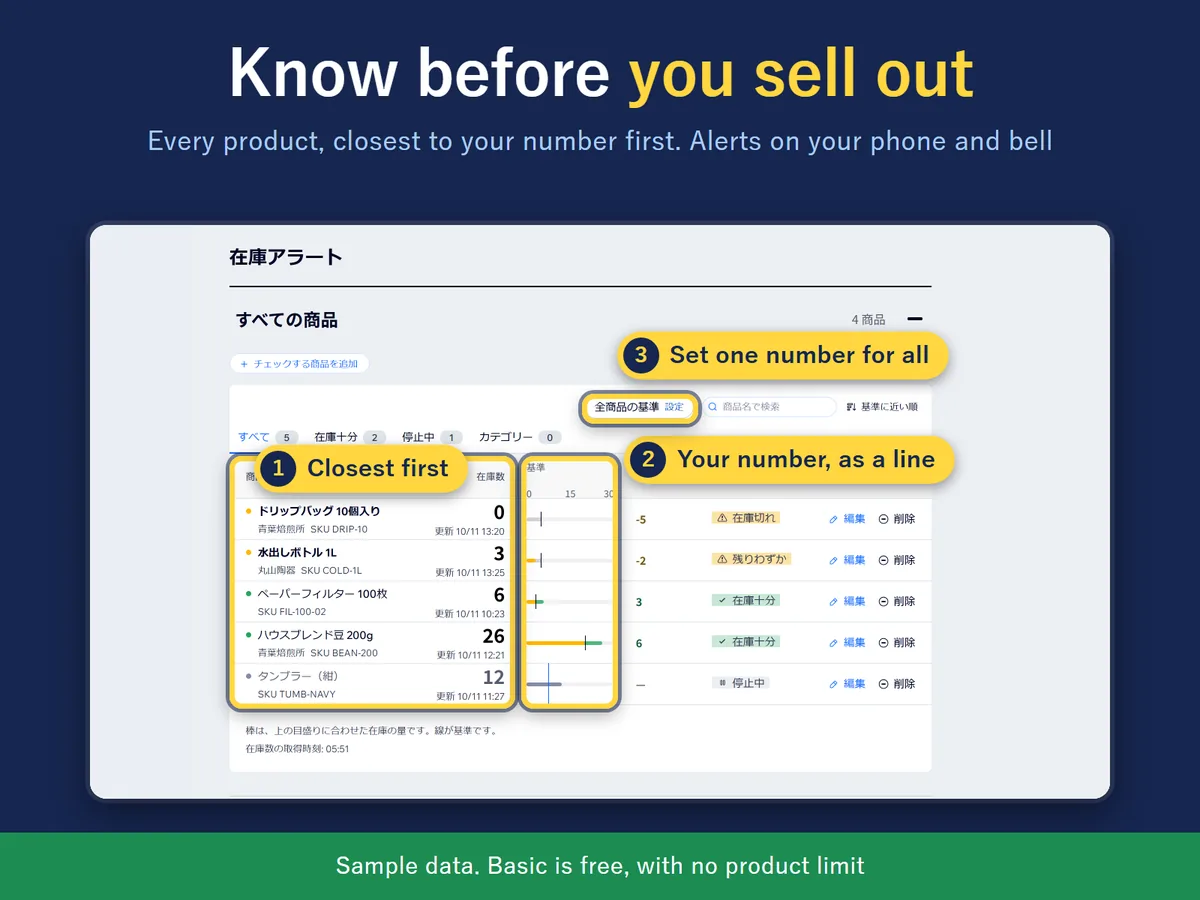
“Start watching at 5” watches all products. The list shows every product with its stock, lowest first, so the ones at risk are at the top.
Out-of-stock and low-stock alerts arrive in the Wix app on your phone and in the dashboard bell. When stock comes back above your number, a quiet one-line note appears in the bell only. You can switch each kind of alert on or off and send a test alert. Every morning at 8:00 (your store's time zone) one message lists what is out of stock or low; on a day with nothing to report, nothing is sent. No email is sent.
Low products are listed under their supplier, and you can copy the note or save it as a CSV. Enter a “Restock to” number for a product and the note also shows how many to order. The app does not place the order.
It does not read customer or order data and sends nothing to outside servers. A button on the app page deletes everything the app has saved.
Install the app and press “Start watching at 5”, or pick your own number. When a product reaches that number it is marked Low, and at 0 it is marked Out of stock. Each change sends an alert to the Wix app on your phone and to the bell in your dashboard.
In the Wix app on your phone and in the dashboard bell. When stock climbs back above your number, a quiet one-line note appears in the bell only. Every kind of alert can be switched on or off, and you can send yourself a test alert to see how it looks. No email is sent.
Every morning at 8:00 (on the clock of your store's time zone) you get one summary of what is out of stock or low. On a day when nothing is either, nothing is sent.
“Start watching at 5” watches all products with one number, new products included. To give a product or a variant (a size or colour) its own number, search for it in the list inside the app.
A note that lists your low products grouped by supplier. You can copy it or save it as a CSV. If you enter a “Restock to” number for a product, the note also shows how many to order: the Restock to number minus the stock now, never below 0. A supplier is just a name; no address or phone number is needed. The app does not place the order for you.
Yes, there is a free plan with no limit on the number of products you watch. Alerts, the daily summary and the order note are included. The paid Pro plan adds a threshold for a whole category (for example, 8 for “Gift sets”) and weekly or monthly summaries at a weekday, day and time you choose. The price is on the Wix App Market listing.
No. It reads products, categories and stock only. It does not read customer or order data and sends nothing to outside servers. One button on the app page deletes everything the app has saved.
It reads the stock of your Wix Stores products. It works with both the current (V3) and the older (V1) Wix Stores catalog.
Yes. The app screens are in English and Japanese, in light and dark. It follows the language of your Wix dashboard unless you change it in the app.
No. Alerts go to your phone and the dashboard bell. Wix also lets you choose which kinds of alert reach your phone in its notification settings.
Questions? Support or support@hullspark.com. Privacy policy
Listing on the Wix App Market