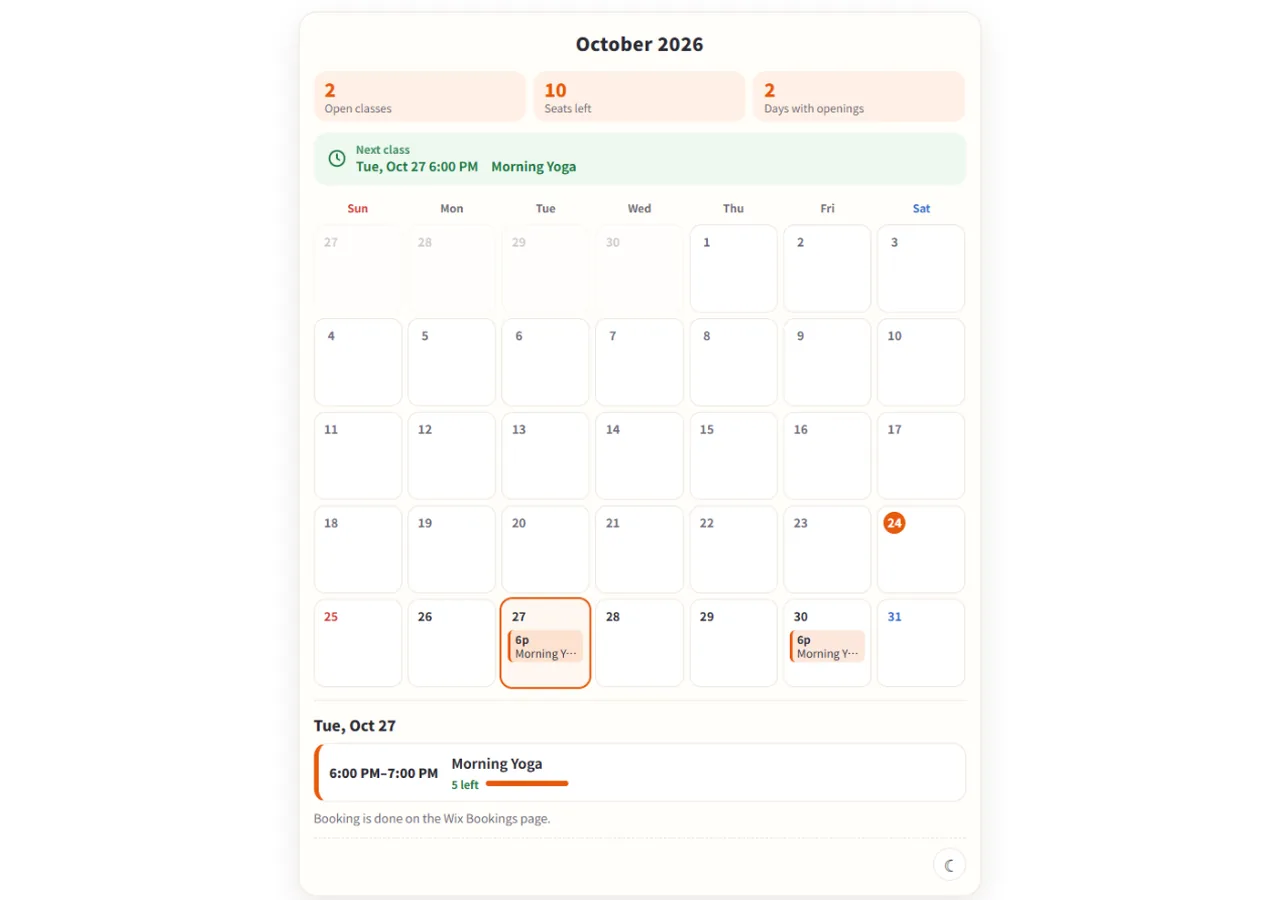
Wix Bookings shows class times by the week, not by the month. This app puts your classes on your site as a month grid. Tap a date and that day's classes open with the seats left and a link to the booking page.
Classes only: one-to-one bookings and courses are not shown. A free plan is available; prices are on the Wix App Market listing.
The month grid with the chosen day's classes (sample class).
In four lines
The problemClass times in Wix Bookings are shown by the week. Yoga studios, schools and salons that want to show the whole month on one screen have no standard way to do it.
Where it livesA widget you place on a page in the Wix editor. Select it and open Settings to choose the classes shown, the first day of the week, whether full classes are hidden, the language and light or dark. A dashboard page lets you preview the look with a sample class.
What it doesEach day in the grid shows the time and name of its classes. Tap a date to open that day's list with the seats left; classes with room have a link to the booking page. On a narrow screen, days get coloured dots instead.
The resultVisitors see which days of the month have classes on one screen and check the seats left. Booking and payment still happen in Wix Bookings.
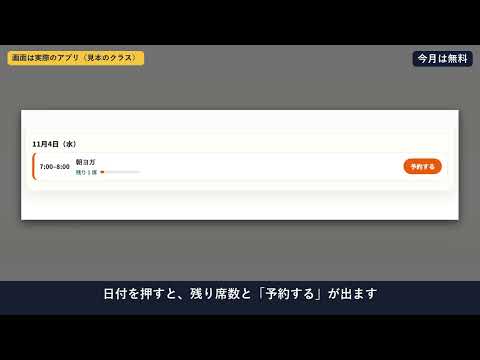
Demo video (Japanese screen). Nothing loads from YouTube until you press play.
Who it is for
Yoga studios, schools, workshops and salons that run classes in Wix Bookings and want visitors to see the month at a glance.
Shops that want full classes hidden, or the week to start on Monday.
Not for you if you need one-to-one bookings or courses in the grid: only classes are shown.
How it works in 3 steps
Add it to a page. Install the app and open the editor. Place the Month Calendar widget on the page you want and set its size.
Choose the classes. Select the widget and open Settings: classes shown, first day of the week, hide full classes, language and light or dark (light is the default).
Publish. Publish the site. Visitors tap a date to see that day's classes and the seats left, with a link to book.
What it does
A month grid of your classes
Each day shows the start time and name of its classes. Tap a date and the list for that day opens, with the seats left. Classes that have room link to the booking page. On a narrow screen the grid becomes dots and a list for the chosen day.
Settings panel and dashboard preview
The widget has a settings panel for the classes shown, the week start, hiding full classes, the language (Auto, Japanese or English) and light or dark. A page in the dashboard previews the look with a sample class and shows how many classes your site has.
Pro: later months and colours
Free shows the current month and one class. Pro lets visitors move up to 12 months ahead and shows several classes at once, colour-coded in 8 colours.
What it can and cannot do
It shows Wix Bookings classes only. One-to-one bookings and courses are not shown.
It reads the class name, start and end time, seats left and capacity, which service, and the booking page URL. It does not read customers or the people who booked.
Booking and payment are done in Wix Bookings, not in this app.
It needs Wix Bookings. Without it the calendar shows a calm "no classes" message.
Free: the current month and one class. Later months and several classes are Pro.
The plan is read on the server from your app subscription, not from the page.
Screens in Japanese and English; light and dark modes.
Questions
Can Wix Bookings classes be shown as a month calendar?
With this app, yes: it shows your classes as a month grid on your site.
Can it show one-to-one services too?
No. Only classes are shown. One-to-one bookings and courses are not.
Is there a free plan?
Yes. Free shows the current month and one class. Later months and several classes are Pro.
What happens when I tap a date?
That day's classes open with the seats left, and classes with room have a link to the booking page.
Does it work on a phone?
Yes. On a narrow screen days get coloured dots, and tapping a date shows that day's classes and seats left.
Does the app take bookings or payments?
No. Booking and payment are done in Wix Bookings as before.
 Hullspark