 Hullspark
Can Wix send me a daily list of low-stock products?
You do not want to open the dashboard every morning to see what is running out. Here is what Wix can send you on a schedule and what it cannot.
Hullspark · 2026-10-29
Short answer
- Wix has no setting that sends “these products are at or under my number”. For out of stock you get a dashboard and Wix app notification, and no email [1].
- Wix can email you an Analytics report on a schedule. You subscribe to a report’s table view and choose the frequency, day and hour. It arrives as a CSV and goes to your primary email by default [2].
- The article does not list which Stores reports can be subscribed to. Open the report in All Reports and look for the subscribe option. If you need the list in your inbox, this CSV email is Wix’s own way.
- The Low Inventory report is Wix’s forecast. It lists items expected to run out in the next 14 days, not items at your own number [3].
The figure shows the three ways. They follow in order.
A. Subscribe to an Analytics report
- In the dashboard open All Reports and open a report in its table view [2].
- Subscribe to it by email. Choose the time period, how often, the day and the hour. It arrives as a CSV [2].
- To send it to someone else, change the recipients through Wix Automations [2].
Where it falls short: email subscriptions work for a report’s table view only [2]. You get a spreadsheet to read, not a short message. The Low Inventory report is a forecast of the next 14 days, so a product at your own reorder number may not be in it [3]. I did not subscribe to the Low Inventory report on a live store, so I cannot say whether it offers the subscribe option.
B. Open the report yourself
Open Low Inventory in the Stores section of All Reports, and change the time period with the filter [3]. Nothing is sent, and you open it when you want to check. It works for a small catalog and a weekly check.
C. One morning message at your own number
The app Low Stock Alert on the Wix App Market compares each product with the number you set. By default, every morning at 8:00 in your store’s time zone it sends one summary of what is out of stock or low, to the Wix app on your phone and to the dashboard bell. On a day when nothing is out or low, nothing is sent. No email is sent. The free plan sends one summary a day at 8:00 in that time zone. Weekly or monthly summaries and a choice of time are on the paid plan.
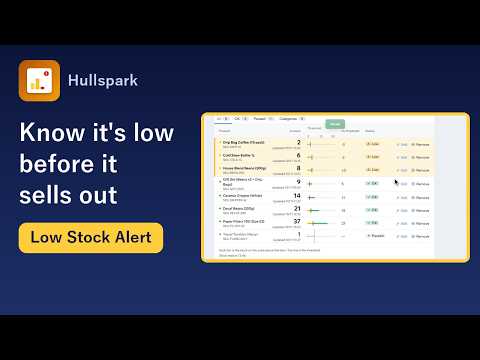
You set the number once with “Start watching at 5”, or type another. A product or a single variant, such as a size or colour, can have its own number. The app reads products, categories and stock only.
Questions
Can the report email go to my staff too?
Wix says reports go to your primary email by default, and you can add or change recipients through Wix Automations.
Can I change the 14-day window of the Low Inventory report?
Yes. Wix says the default is 14 days and you can change the time period with the filter.
If I need the list in my inbox as text, what do I use?
Wix’s own option is the CSV report email in A. The app sends a phone and dashboard message, not an email.
Not verified
I read the Wix Help Center on 2026-10-29. I did not test the report email on a live store. The app description follows the app's code and tests as of 2026-10-29. Wix screens and features change.
Sources
- [1] Wix Help Center, Wix Stores Request: Receiving Notifications When Products Are Out-of-Stock: https://support.wix.com/en/article/wix-stores-request-receiving-notifications-when-products-are-out-of-stock
- [2] Wix Help Center, Scheduling Wix Analytics Report Emails: https://support.wix.com/en/article/scheduling-wix-analytics-report-emails
- [3] Wix Help Center, Wix Stores: About Your Wix Analytics Reports: https://support.wix.com/en/article/wix-analytics-about-your-wix-stores-reports
Related
- How to get low stock alerts in Wix Stores: your options
- How to change the low stock number in Wix Stores
- Wix inventory reorder list: find what to restock
- Product page for the app
Questions? Support or support@hullspark.com. Privacy policy